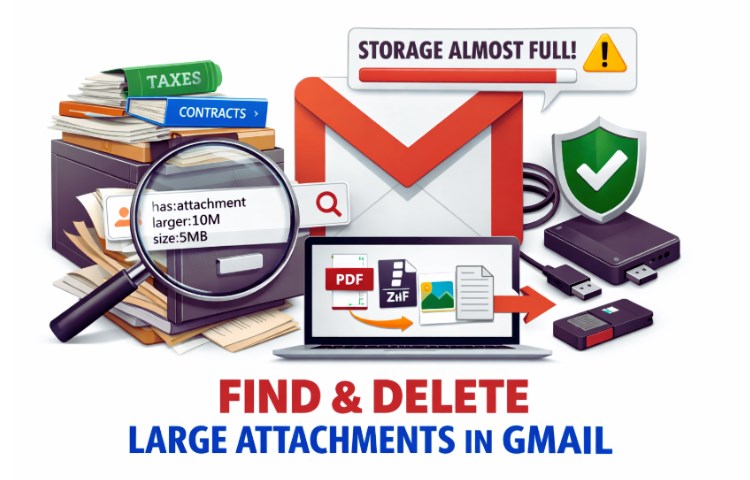
Find and Delete Large Attachments to Free Up Storage in Gmail is usually something people search after seeing that stressful “Storage Almost Full” warning. It always shows up at the worst time - right before sending a proposal, tax file, or college application.
Your inbox feels like an overstuffed attic. The goal isn’t just to delete. The goal is to clear space without losing something you’ll desperately need later.
Why Gmail Fills Up Faster Than You Realize
Gmail gives 15GB of free storage, but that space is shared across Gmail, Google Drive, and Google Photos. Every PDF contract, medical report, scanned ID, marketing deck, or family photo eats into the same pool.
Think of your inbox like a filing cabinet.
Emails are papers. Attachments are thick folders.
You can stack hundreds of papers neatly. But a few bulky folders fill the drawer quickly.
People often store:
- Mortgage paperwork
- Tax returns
- Health insurance documents
- Signed contracts
- School transcripts
These attachments may be years old. They may look inactive. But old does not mean useless. And that’s where most people make a costly mistake. To avoid those mistakes we will be discussing Gmail Backup tool.
Find and Delete Large Attachments to Free Up Storage in Gmail
Before deleting anything, we approach this like a mission briefing. A pilot doesn’t drop equipment mid-flight without checking its value. We shouldn’t delete blindly either.
Step 1: Locate the Heavy Files
Go to Gmail search and type:
- has:attachment
- larger:10M
- size:5MB
These filters reveal emails with large attachments.
You’ll quickly find:
- Old presentation decks
- Archived ZIP files
- Photo collections
- Repeated document threads
This is like reviewing a map before clearing land. Identify first. Delete later.
Step 2: Review Before You Remove
Click through large emails carefully.
Ask:
- Is this financial documentation?
- Is this legally important?
- Could I need this for taxes, insurance, or proof later?
Many Americans discover too late that “old” emails were actually critical records.
Imagine deleting a 2019 tax attachment. Three years later, the IRS requests documentation. Now you’re searching through panic instead of files.
Deleting is easy. Rebuilding lost history is not.
The Hidden Risk of “Quick Cleanup”
Here’s what most guides don’t explain clearly:
When you delete an email, it moves to Trash for 30 days. After that, it’s permanently removed.
There is no rewind button.
People trying to find and delete large attachments to free up storage in Gmail often focus only on space—not on consequence.
Old attachments may include:
- Signed real estate agreements
- Medical prescriptions
- Business licensing records
- Legal communication
Think of your inbox like a storage unit. Just because a box has dust on it doesn’t mean what’s inside has no value.
Old files are quiet assets.
The Smart Rule: Secure First, Then Delete
Before removing large attachments, the safest strategy is to move important emails to a secure offline location. This is like taking valuables out of a house before renovating it. Instead of gambling with permanent deletion, you create a copy stored safely on your computer or external drive or saving gmail emails on a flash drive.
A structured backup system allows you to:
- Save emails with attachments intact
- Preserve folder structure
- Export in readable formats like PDF or PST
- Keep records accessible without relying on Gmail
This transforms cleanup from risky to strategic.
The Professional tool allows you to download and store your emails locally before removing them from your mailbox. Once your records are secured offline, you can confidently clear large attachments from Gmail without fear of losing critical information.
That shift changes everything.
You are no longer deleting. You are organizing.
Manual Cleanup vs. Controlled Cleanup
Let’s compare approaches clearly:
| Approach | Storage Freed | Risk of Losing Important Files | Long-Term Control |
| Random Deletion | Yes | High | Low |
| Buying More Storage | Temporary Relief | None | Medium |
| Backup Then Delete | Yes | Very Low | High |
Buying storage adds space.
Backup creates control.
If your Gmail fills up every few months, that pattern will repeat unless you build a system.
Who Should Be Especially Careful
Certain groups should never delete attachments casually:
- Small business owners handling contracts
- Freelancers managing invoices
- Teachers storing student documentation
- Retirees keeping financial records
- Families preserving legal paperwork
In many cases, emails become digital filing cabinets. And cabinets should be archived properly not emptied impulsively.
Common Mistakes People Regret
When trying to find and delete large attachments to free up storage in Gmail, people often:
- Delete before downloading important files
- Forget Google Drive also consumes storage
- Empty Trash without double-checking
- Assume old emails have no future value
Years later, those “unimportant” files become urgent.
A Simple Storage Strategy That Works
Follow this system:
- Identify large attachments using search filters.
- Review carefully for importance.
- Secure critical emails offline.
- Delete confidently.
- Empty Trash after confirming.
This method protects both space and history.
Final Thought
Storage problems are rarely about space alone. They are about balance. Your inbox is more than communication. It holds contracts, memories, proof, and protection. When you choose to find and delete large attachments to free up storage in Gmail, do it strategically. Old files may look silent—but some of them carry future importance.
Clear space wisely. Because peace of mind is worth more than a few extra gigabytes.


Leave a Comment