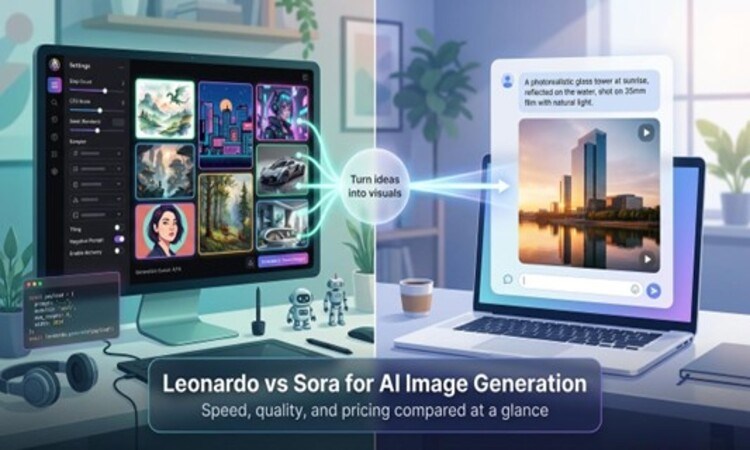
We all love the spark of seeing a fresh concept spring to life on-screen. Today, two tools promise that magic on demand: Leonardo AI and OpenAI’s Sora.
Over the next few minutes, we’ll compare their speed, image fidelity, and pricing through a developer’s lens, then map real-world use cases so you can pick the right fit—without guesswork.
By the end, you’ll know exactly when to lean on Sora’s photo-real power and when Leonardo’s fine-tuned control makes more sense.
Executive summary
Leonardo AI and Sora take different roads to the same destination: turning plain text into eye-catching visuals. Leonardo feels like a well-stocked workshop. You pick the model, adjust a few settings, and produce batches of art in seconds. Sora works more like a personal assistant. You describe the scene, wait about 60 to 120 seconds, and receive a photo-real result with no extra tuning required.
For teams that live inside code, or churn through hundreds of assets, Leonardo’s speed and API support cut production time and cost. If you only need a handful of standout images (or short video clips), Sora’s realism justifies its higher subscription fee.
In practice, many creators blend the two. We brainstorm with Sora’s polished previews, then refine and mass-produce in Leonardo. By the end of this guide, you’ll know exactly when to make each tool part of your creative stack.
At-a-glance comparison
Before we look closer, put both contenders side by side. Use this quick reference while the rest of the article unpacks each point in detail.

| Factor | Leonardo AI | Sora (OpenAI) |
| Platform origin | Independent startup, now part of Canva | Built into the ChatGPT ecosystem |
| Primary strength | Fine-tuned models and creative control | Photo-realism and chat-first workflow |
| Average image speed* | 5–15 seconds with Fast tokens | 30–120 seconds, quality-first pipeline |
| Quality focus | Wide style range, Phoenix model for realism | Hyper-real, accurate text and anatomy |
| Pricing entry | Free with 150 daily tokens, paid tiers from $12/month | ChatGPT Plus at $20/month unlocks “unlimited” images |
| Best for | Game devs, volume asset pipelines, API integration | Marketers, educators, quick hero shots, video clips |
*Typical 512 × 512 render on standard prompts. We’ll explore benchmarks shortly.
Platform deep-dive & unique features
Leonardo AI: control, community, and flexible models
More than 55 million creators already rely on the AI image generator tool, a browser-based canvas that feels like a maker space stocked with brushes, textures, and lighting rigs. Inside the platform’s AI image generator, the model menu acts like a set of lenses, from “Anime Pastel” and “Vintage Film” to the flagship Phoenix design tuned for near-photographic realism, delivering the speed, consistency, and control the site highlights for professional creators. Choose a lens, add a prompt, and Leonardo returns four crisp variations in about 5 to 15 seconds.
Leonardo AI image generator interface and model presets screenshot.
Customization is where it shines. Train a private model on your artwork, and Leonardo preserves your style across hundreds of assets. Game studios rely on this to keep characters consistent without redrawing every pose.
The Canvas tool lets you extend images, fix stray pixels, and upscale to print resolution. Paint across empty space, describe what should appear, and watch the gap fill—ideal for marketing banners that need extra breathing room.
A large community completes the package. Millions of shared prompts and user-made models sit one click away, turning the gallery into a living tutorial. Remix a trending cyberpunk scene, tweak two words, and ship a fresh concept that still feels uniquely yours.
Sora: photo-real power inside a chat window
Sora reverses the creative workflow. You do not adjust sliders or hunt for seeds. Instead, tell ChatGPT what you want: “a glass tower at sunrise, shot on 35 mm,” and the system paints a scene that could appear on a magazine cover.
This conversational flow accelerates feedback. Provide direction in plain English, and the model refines lighting, color, or placement as though it were a patient designer. Because Sora shares its language engine with GPT-4, it handles long, descriptive prompts with ease. Stack requests such as a specific camera angle, brand-safe text on a billboard, or a defined mood, and the output remains coherent and accurate.
The same Plus subscription that powers ChatGPT unlocks motion as well as stills. Turn an image into a 10-second video loop or start directly with a video prompt. The result arrives in chat, ready to download or share in the mobile feed.
There is a trade-off. You cannot train custom models or call an API; every image is a new request to OpenAI’s closed engine. For many marketers and educators, that limitation is acceptable when they need work that looks camera-ready on the first pass.
Speed and performance
Leonardo AI: built for rapid iteration
Waiting on renders stalls creative flow, so Leonardo’s engineers trimmed every spare millisecond. On a typical 512-pixel prompt, the platform delivers four variations in about 5 to 15 seconds, even on the free tier. Public metrics back that up: the service now produces roughly 4.5 million images each day without slowdown, proof that its priority-token queue holds under real-world demand.
Speed rises on paid plans. Fast tokens move your jobs to the front of the line, and parallel threads let you launch entire mood-board batches in one go. If you run out of tokens, Relaxed mode keeps working; long, slow renders finish overnight instead of halting progress.
For developers, predictability matters more than raw seconds. When a build script calls the Leonardo API at 3 am, the images are ready by 3:05 am, not stuck in a global queue. Rapid iteration shortens feedback loops, which helps ship games, ads, or slide decks sooner.
Sora: quality-first pace that rewards patience
Sora takes more time. A richly detailed prompt often needs 30 to 120 seconds to resolve because OpenAI’s stack reviews anatomy, lighting, and typography before returning an image.
The delay shifts your workflow. Instead of firing ten prompts back-to-back, you write one comprehensive request, grab a sip of water, and review a result that already looks client-ready. We trade iteration speed for fewer touch-ups later, a compromise many marketers accept.
There is no priority token to cut the line. Plus subscribers share the same pool, so peak hours can extend waits. The upside is predictability: once the progress bar appears, it rarely fails, and free users never take capacity from paying customers.
Batch work remains Sora’s weak spot. Each prompt starts a single render. When you need 40 ad variants by noon, repeatedly pasting prompts feels like a marathon in sandals. That overhead is why high-volume teams still lean on Leonardo for bulk jobs and keep Sora for hero shots.
Image quality and fidelity
Leonardo AI: style flexibility with consistent characters
Creative work seldom sticks to one look. One morning you need pastel sketches for a pitch deck, that afternoon you need cinematic key art for a trailer. Leonardo makes the jump without slowing down. Switch from a hand-drawn anime preset to the Phoenix photoreal model and the engine swaps brushes as quickly as a guitarist swaps pedals, keeping rhythm every time.
Because each model is purpose-built, you dial in a vibe rather than wrestle with a one-size-fits-all network. Concept sketches retain loose pencil texture, while Phoenix output shows crisp pores, believable depth of field, and even readable store-front text.
Consistency is the quiet hero. Train a mini-model on three angles of your mascot and Leonardo keeps that character’s freckles and costume across every future render. Storyboard artists rely on this trick; marketing teams appreciate that it safeguards brand guidelines. Whatever your niche, the platform lets you steer style instead of relying on random seeds.
Sora: photo realism that follows complex instructions
Ask Sora for “a stainless-steel smartwatch floating in mineral water,” and it returns droplets that follow physics, reflections that align, and dial text you can read without squinting. That fidelity comes from the same research behind DALL·E 3, and it shows. Skin tones appear natural, facial symmetry stays true, and historically difficult elements such as hands and clocks no longer give away the AI origin.
Because the language model and image model share a core, Sora interprets detailed instructions like an experienced art director. Stack requests—place the watch on volcanic rock, shoot at golden hour, add micro-scratches for realism—and the output respects each clause with minimal cleanup.
There is a limitation. Sora excels as a generalist but not as a specialist. It can mimic watercolor or 8-bit pixel art, yet a dedicated Leonardo model often hits those stylized beats harder. If you need the same character across ten frames, Sora may forget its own face between generations. For one-off hero shots or marketing mock-ups, though, little else matches the polish you get from a single prompt.
Pricing and ROI
Pricing guides every tool choice, so let’s convert plan grids into plain dollars and usable images.
Leonardo focuses on volume. The free tier gives you 150 Fast tokens per day, enough for a steady stream of concept art. Upgrade to the Apprentice plan at about $12 per month, and you unlock 8,500 Fast tokens plus private generation, which keeps client work off the public feed. Artisan and Maestro tiers multiply tokens and custom-model slots while adding unlimited Relaxed renders for overnight batches. On a mid-tier plan, each 512-pixel image costs about one-tenth of a cent, a budget-friendly rate for studios that need thousands of assets.
Sora bundles access. Pay $20 for ChatGPT Plus and receive “unlimited” image and short-video generation; soft caps appear only under heavy use. For solo creators who already rely on GPT-4 for code, copy, and brainstorming, that price feels modest. Costs rise, however, when an entire marketing team needs seats because there is no cheaper Sora-only plan and no API that lets one license serve multiple users.
Return on investment separates the tools further. Leonardo’s token pool scales predictably inside automated pipelines. A game studio can schedule 40,000 tokens per week and know exactly when to top up. Sora’s flat fee favors quality over quantity: perfect for a product team that needs five polished hero shots this month, not five hundred iterative textures.
In short, pennies per image or dollars per masterpiece. Pick the structure that matches your workload, then let speed and fidelity settle the tie.
Workflow integration & developer angle
Ease of use and interface
Both tools greet you with very different workspaces, and that first impression shapes everything downstream.
Leonardo opens like a cockpit. Sliders for guidance scale, model pickers, seed boxes, and upscalers line the side panel. At first glance the controls feel busy, yet within a day you’ll zip through presets the way a photographer adjusts aperture. The payoff is agency. Need to trim diffusion steps to hit a sprint deadline? Two clicks. Want to lock a seed so every reroll preserves layout? Toggle and go. The interface rewards makers who enjoy tinkering and tracking exactly why an image turned out a certain way.
Sora hides the machinery. You type a prompt in ChatGPT, press Enter, and wait for the reveal. If the mood feels off, just say, “Brighten the scene and crop to 16:9.” Sora converses, not configures. That simplicity lets non-designers create on-brand visuals without a crash course in negative prompts, but it also removes granular control. No sidebar shows which sampler or step count the model chose; you trade transparency for comfort.
Ultimately, Leonardo feels like Photoshop with AI copilots, while Sora feels like Slack with a built-in art department. Pick the cockpit if you crave dials, choose the chat if you would rather dictate vision and move on.
Third-party integration & API
Images gain value when they flow straight into your pipeline. Leonardo wins that race by offering a documented REST API plus lightweight SDKs. Grab an API key, post a JSON prompt from C#, Python, or even a no-code tool, and the service returns a URL as soon as the render finishes. Because API credits live in a separate pool, automated jobs never drain the tokens you need for hands-on art direction later in the day. Teams stitch Leonardo into Unity editors, internal CMS dashboards, and Slack bots that spin up concept art on request.
Sora keeps its brushes inside the ChatGPT garden. There is no public endpoint for your build script, and OpenAI’s terms forbid browser automation. That rule is manageable for solo creators, yet it prevents large studios from baking Sora into a continuous integration pipeline or customer-facing app. You can copy images out of the chat and drop them into Figma, but every transfer is manual and slows work as volume grows.
If your roadmap includes “click a button, generate art, ship,” Leonardo’s API provides the conveyor belt. Sora remains best for spur-of-the-moment inspiration, good when you need a brilliant mock-up during a brainstorm, less helpful when your game engine expects 200 fresh textures before the next nightly build.
Use cases & best-fit scenarios
Web and app developers: automate the magic
Your codebase already compiles, lints, and deploys with one command. Visual assets can follow the same pattern. Leonardo lets you wire image generation directly into that pipeline. A single REST call creates concept art, UI mock-ups, or on-demand avatars, then saves the PNG in your storage bucket. Teams building personalization features—think greeting-card platforms or gamified learning apps—use this flow to give every user a unique graphic without storing heaps of templates.
Sora, by comparison, works best as a brainstorming partner, not a CI step. You chat through an idea, grab the output, and paste it into Figma or Xcode by hand. That approach shines during a hackathon when you need a polished hero image, but it slows the moment you try to loop the process. If your sprint board includes tasks like “auto-generate preview images,” Leonardo is the safer commit.
Game development & 3D artists: consistency is king
World-building thrives on repetition. A hero’s armor needs the same patina in every cut-scene; foliage textures must tile without seams. Leonardo was built for that grind. Train a custom model on a few style frames, and the studio can stamp out props that share lighting, palette, and brush-stroke weight. Phoenix mode then pushes those assets close to photoreal, so concept art moves into the engine with fewer fixes.
Another edge is texture output. Switch on Leonardo’s wrap mode option, and the image fits cleanly around 3D meshes—no extra pass in Substance Painter. When deadlines loom, artists queue batches overnight in Relaxed mode, wake up to a library of rocks, rugs, or runes, and drag them straight into Unity.
Sora still helps directors storyboard a cinematic shot. They can request a pan across a rain-soaked cyberpunk alley, neon reflecting on puddles, and get a reference frame within minutes. Yet keeping the same alley geometry across three angles exposes Sora’s memory gap. Until OpenAI adds a continuity feature, Leonardo remains the reliable workhorse for asset pipelines while Sora stays the quick pitch visualizer.
Tech marketers & content creators: hero images versus high-volume graphics
Marketing runs at two speeds: the headline visual that grabs attention, and the steady stream of social tiles, blog headers, and AB-test variants. Sora excels at the headline. Its photoreal renders make a product mock-up look studio-shot, complete with legible packaging text and realistic reflections. You brief the AI like you brief a photographer, approve the first take, and publish.
When the job shifts to volume—twenty Instagram backgrounds in three brand palettes—Leonardo’s batch engine leads. Craft a prompt with four color variables, duplicate it across a grid of seeds, and watch a week of assets land in your downloads before lunch. Upscale the winners and discard the rest. Token costs stay pennies, and brand consistency stays tight because you can lock custom models to corporate guidelines.
Many marketers blend both tools. We brainstorm campaign concepts in ChatGPT, let Sora visualize each headline in seconds, then hand the winning prompt to Leonardo for mass production and resizing. Quality meets quantity, and the budget stays on track.
Conclusion & future outlook
Leonardo and Sora meet different creative needs. One offers a control panel, the other acts as a concierge. If you thrive on knobs, APIs, and repeatable style consistency, Leonardo feels like home. If you want instant photorealism in the same chat that drafts your copy, Sora delivers.
You can also combine them. Start ideation in ChatGPT, have Sora paint a hero image that captures the mood, then pass that reference to Leonardo to mass-produce supporting graphics or game props. You’ll save money on bulk assets without losing the standout centerpiece.
The market evolves quickly. Leonardo’s roadmap points toward full video support and deeper Canva fusion, while OpenAI keeps adding memory and style options to Sora. Whatever you choose today, keep an eye on release notes; an upcoming update could shift the balance.
For now, the decision narrows to one question: do you need many good images or a few perfect ones? Answer that, and the best tool becomes clear.
Ready to test-drive? Grab Leonardo’s free tokens, run a batch, then ask Sora for a single showpiece. Your workflow will reveal which partnership feels like the future.


Leave a Comment