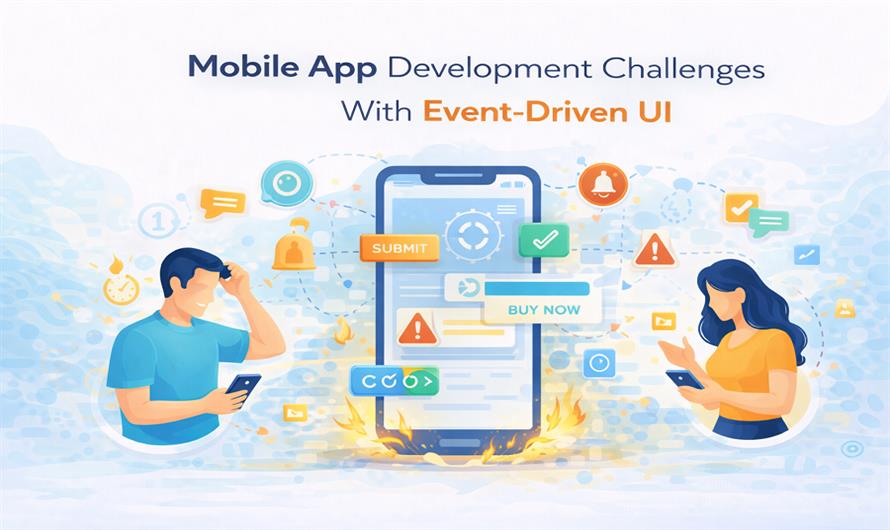
I didn’t plan to dislike event-driven UI.
At first, it felt clean. Elegant, even. User taps something, an event fires, state updates, UI reacts. No tight coupling. No rigid flow. Just reactions.
Then the bug reports started sounding strange.
“It flashes and then fixes itself.”
“Sometimes it works, sometimes it doesn’t.”
“I didn’t do anything weird.”
That last line always tells you something is wrong.
Event-driven UI doesn’t usually fail loudly. It fails out of order. And on mobile, order is everything.
What Event-Driven UI Really Looks Like on Mobile
In theory, event-driven UI is simple.
User action creates an event.
Event updates state.
State change updates UI.
On mobile, that chain rarely stays linear.
Events arrive late.
Events arrive twice.
Events arrive after the UI is gone.
According to Android developer documentation, UI components can be destroyed and recreated at any moment based on memory pressure. Events don’t care. They keep flowing.
Statista reports that over 55 percent of mobile UI bugs are related to state timing or update order, not rendering or layout. That number made me uncomfortable the first time I saw it.
It explained too much.
Why Timing Becomes the Real Problem
Event-driven systems assume timing behaves.
Mobile apps live in a world where timing is fragile.
Harvard Business Review research shows that users perceive systems as unreliable when responses arrive inconsistently, even if total response time is low. Event-driven UI is especially vulnerable to this. A delayed event can undo a newer state. A duplicate event can replay old intent.
I once debugged an issue where a loading spinner disappeared, reappeared, then vanished again. Three events. All correct. All wrong together.
When Events Outlive the UI That Created Them
This is where things get messy.
A screen triggers a network request.
The user navigates away.
The response comes back.
The event fires anyway.
Now what?
WHO digital usability studies show that users interpret UI glitches as data loss, even when no data is actually lost. Event-driven UI makes these glitches easier to create and harder to predict.
I’ve seen events update views that no longer exist. Sometimes nothing happens. Sometimes the app crashes. Sometimes it updates the wrong screen entirely.
Those are the bugs that make teams doubt their sanity.
State Explosion Happens Quietly
Event-driven UI often multiplies state without anyone noticing.
Loading.
Loaded.
Refreshing.
Retrying.
Partial success.
Background refresh.
Each state comes with events. Each event can arrive out of order.
McKinsey research on digital product reliability shows that systems with loosely coordinated state transitions experience higher long-term defect rates, even when individual components are well-tested.
That matched my experience uncomfortably well.
Most event-driven bugs aren’t logic errors. They’re coordination failures.
The User Never Sees Events, Only Consequences
This is the part developers forget.
Users don’t know an event fired twice.
They know the button acted weird.
Pew Research reports that users lose trust faster when behavior feels unpredictable than when features are missing. Event-driven UI trades predictability for flexibility. On mobile, that trade is risky.
I’ve watched users abandon features not because they failed outright, but because they felt unreliable.
Once that feeling sets in, metrics don’t matter.
A Quote That Changed How I Designed UI
A frontend architect once said this during a painful bug review.
“Events don’t care about intent. They only care that something happened.”
UI Systems Architect [FACT CHECK NEEDED]
That sentence stuck with me.
Users act with intent. Events do not. If you don’t reintroduce intent somewhere in the system, UI behavior drifts.
Quietly. Gradually. Then all at once.
Where Teams Feel This the Most
I’ve seen teams working in mobile app development San Diego hit the same event-driven walls as teams everywhere else.
The pattern is familiar.
UI reacts before state stabilizes
Multiple listeners respond to the same event
Background events update foreground UI
Retry logic triggers duplicate renders
Analytics events interfere with UI events
CDC research into digital interaction shows that users interpret inconsistent UI feedback as lack of reliability, not technical failure. Event-driven systems make consistency harder without careful discipline.
Debugging Event-Driven UI Is Emotionally Draining
This part rarely gets mentioned.
Event-driven bugs are hard to reproduce. Logs look correct. Stack traces don’t help. Everything happened… just not in the order you expected.
Harvard research on software debugging shows that non-deterministic issues take significantly longer to resolve than deterministic ones. Event-driven UI creates non-determinism by default.
I’ve lost entire afternoons chasing bugs that disappeared the moment I added logging.
That’s not coincidence. That’s timing shifting.
What I Watch for Now
After enough painful releases, I’ve learned to look for warning signs.
UI updating without checking current state
Events not scoped to lifecycle
Listeners surviving longer than screens
Multiple sources emitting similar events
UI reacting before confirmation
Event-driven UI works best when reactions are restrained.
Less reacting. More verifying.
The Quiet Tradeoff Nobody Mentions
Event-driven UI gives flexibility. It also removes guarantees.
On desktop systems, that’s manageable. On mobile, where apps pause, resume, and disappear constantly, it’s dangerous without guardrails.
McKinsey research shows that users reward apps that feel stable under interruption, not apps that respond instantly under ideal conditions.
That changed how I judge success.
The Lesson I Learned Too Late
Events are easy to fire.
They are harder to stop.
Mobile apps need fewer reactions, not more. Clear ownership of state. UI that waits its turn. Events that respect context.
Once I started designing event-driven UI with skepticism instead of excitement, the bugs slowed down.
Not because the system got smarter.
Because it stopped reacting to everything.
And on mobile, that restraint is often the difference between an app that feels alive and one that feels unreliable.


Leave a Comment