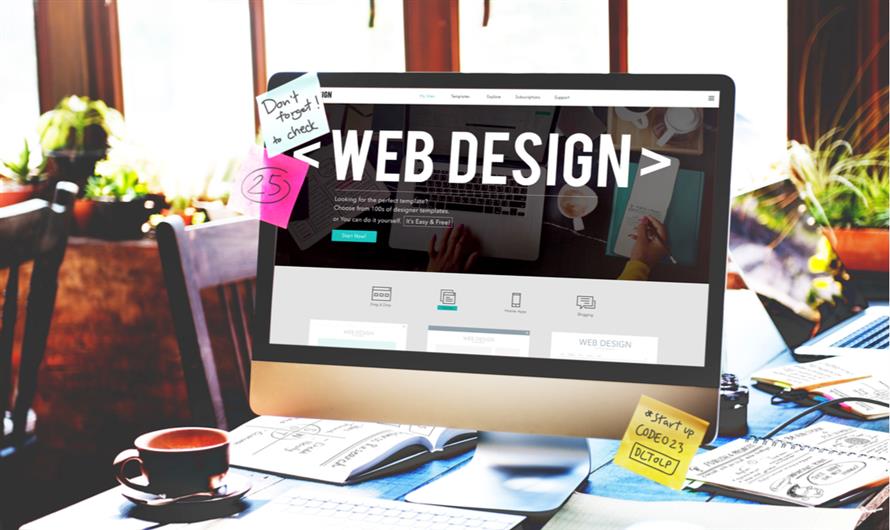
A beautifully designed website is great—but beauty alone doesn’t drive conversions. A website’s true value lies in how effectively it turns visitors into leads, customers, or subscribers. Unfortunately, many businesses unknowingly make design mistakes that weaken user experience, slow down engagement, and ultimately lead to lost sales.
Whether you’re running an e-commerce store, a service-based business, or a portfolio website, avoiding these web design mistakes is essential for maximizing performance. Below are the top web design mistakes that hurt conversions and how to fix them.
1. Slow Website Loading Speed
Your website has only one job in the first 3 seconds: load fast.
A delay beyond that instantly impacts bounce rates. Studies show that every additional second your page takes to load can reduce conversions by up to 20%.
Why Speed Matters
Users expect instant results
Slow websites create frustration
Search engines demote slower pages
Mobile users have even less patience
How to Fix It
Compress images
Use a CDN (Content Delivery Network)
Minify CSS, JavaScript, and HTML
Choose fast hosting
Implement lazy loading
Fast-loading pages make visitors trust your business from the first click.
2. Poor Mobile Responsiveness
More than 60% of users browse on mobile. If your website doesn’t adapt perfectly across all screen sizes, you’re losing conversions—especially for e-commerce.
Common Mobile Issues
Text too small to read
Buttons too close or too tiny
Layout breaks on smaller screens
Slow loading due to heavy scripts
Solution
Design mobile-first, then scale up for desktop. Prioritize thumb-friendly buttons, readable fonts, and fluid layouts.
3. Confusing Navigation
Your navigation should guide visitors, not confuse them. Complex menus, too many links, or unclear categories make users give up before reaching your key pages.
Signs of Poor Navigation
Users can’t find what they’re looking for
High bounce rate on landing pages
Low time spent on site
How to Fix Navigation Issues
Keep menu items short and simple
Use clear labels (e.g., “Services,” “Pricing,” “Contact”)
Add a visible search bar
Make your CTA easily accessible
The rule is simple: If users can’t find it, they won’t buy it.
4. Weak or Missing Calls-to-Action (CTAs)
Many websites fail because they don’t tell visitors what to do next. A “Buy Now” or “Get a Quote” button may seem small, but it guides user intent.
CTA Mistakes to Avoid
Too many CTAs that confuse the user
CTAs hidden below the fold
Generic text like “Submit”
Low contrast buttons that don’t stand out
What Makes a Great CTA
Clear, action-driven text (e.g., “Start Your Free Trial”)
Contrasting colors that attract attention
Placed strategically across the site
Simple and direct language
Strong CTAs act as the roadmap to guide your visitor toward conversion.
5. Overloaded Design and Cluttered Layout
A cluttered website overwhelms the user and makes it hard to focus on what matters. Too many fonts, busy backgrounds, flashing banners, or excessive images distract visitors instead of helping them convert.
What Causes Clutter
Trying to say too much at once
Random popups
Auto-playing videos
Oversized banners
Poor use of white space
Solution
Embrace minimal design. Give content room to breathe. Focus on clarity, not chaos.
6. Low-Quality Images or Inconsistent Branding
Visuals play a massive role in how customers perceive your brand. Poor-quality images make your site look unprofessional, while inconsistent branding confuses visitors.
Branding Mistakes
Different color schemes on different pages
Inconsistent fonts
Stock photos that don’t match your audience
Low-resolution images
What to Do Instead
Use a unified color palette
Stick to a consistent font family
Invest in high-quality, relevant images
Use custom photography when possible
A consistent visual identity increases trust—and trust boosts conversions.
7. Hard-to-Read Typography
Typography affects readability, which directly affects conversions. If users struggle to read your content, they won’t take action.
Common Typography Problems
Too-small font size
Strange or decorative fonts
Poor contrast between text and background
Text walls with no spacing
How to Improve It
Use a minimum 16px font for body text
Choose clean, modern fonts (e.g., Inter, Poppins, Roboto)
Maintain proper line spacing
Break text into small, scannable sections
Readable content leads to better engagement and more conversions.
8. Lack of Trust Signals
Trust is everything in digital business. If your website doesn’t reassure visitors that you are credible, they will hesitate—or leave.
Missing Trust Elements
No testimonials
No reviews
No portfolio or case studies
No security badges for checkout
No clear contact information
What to Add
Client testimonials with photos
Success stories or case studies
Brand logos of past clients
SSL certificate and trust badges
Live chat or customer support link
Trust signals increase confidence—which leads directly to conversions.
9. Complicated Forms
If your form is too long or asks for too much information, users will abandon it. Especially on mobile, lengthy forms feel overwhelming.
Common Issues
Asking unnecessary personal details
Multiple mandatory fields
Poor spacing
No autofill support
Fix It
Ask for only what you truly need
Use progress indicators for multi-step forms
Make input fields large and mobile-friendly
Add inline error messages
Simple forms convert. Complicated forms cause drop-offs.
10. Ignoring SEO in Web Design
A beautiful website without SEO is like a billboard in the desert—no one sees it. Poor SEO structure negatively impacts visibility, traffic, and conversions.
SEO Mistakes
Missing meta titles and descriptions
No alt tags on images
Poor heading structure
Slow-loading pages
Not using internal linking
Thin or duplicate content
Good SEO ensures people actually find your website—and more visibility means more conversions.
Final Thoughts
Your website is your digital storefront. If it’s slow, confusing, cluttered, or hard to use, visitors will leave before taking action. By avoiding these common web design mistakes and focusing on user experience, speed, and clarity, you can significantly increase your conversions and overall business growth.
If you need expert help improving your conversion rates or redesigning your website, consider working with a professional agency specializing in high-performance layouts. For businesses looking to elevate their online presence, Kinex Media offers industry-leading solutions in web design in New York, helping brands build fast, modern, and conversion-driven websites.

Leave a Comment