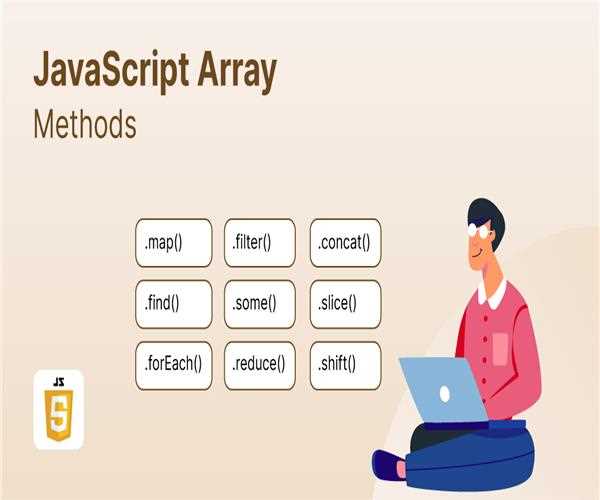
JavaScript Array
JavaScript arrays are versatile, allowing you to store and manipulate collections of objects more efficiently. Here is a comprehensive guide to understanding JavaScript programming, including creation, implementation, and common methods.
Creating Arrays
Array Literals
let fruits = ["apple", "banana", "cherry"];Array Constructor
let fruits = new Array("apple", "banana", "cherry");Accessing Elements
You can access items/elements from array by its index number as given below,
let firstFruit = fruits[0]; // "apple"The index number starts from 0 in the array.
Modifying Arrays
Adding Elements
- Using
push()It adds the element at the end of the array.
fruits.push("date");
// fruits is now ["apple", "banana", "cherry", "date"]- Using
unshift()it adds the elements at the beginning of the array.
fruits.unshift("avocado");
// fruits is now ["avocado", "apple", "banana", "cherry", "date"]
Removing Elements
- Using
pop()It removes the last element from the array.
let lastFruit = fruits.pop(); // lastFruit is "date"
// fruits is now ["avocado", "apple", "banana", "cherry"]- Using
shift()It removes the first element from the array.
let firstFruit = fruits.shift(); // firstFruit is "avocado"
// fruits is now ["apple", "banana", "cherry"]
Modifying Elements
- Using Index It updates the element at the given index number.
fruits[1] = "blueberry";
// fruits is now ["apple", "blueberry", "cherry"]
Common Array Methods
length Property- It returns the number of elements ih the array.
let numberOfFruits = fruits.length;
// numberOfFruits is 3
concat() Method- It combines multiple arrays into a single array.
let moreFruits = ["date", "elderberry"];
let allFruits = fruits.concat(moreFruits);
// allFruits is ["apple", "blueberry", "cherry", "date", "elderberry"]
slice() Method- It extracts a section of the array and returns a new array
let someFruits = fruits.slice(1, 3);
// someFruits is ["blueberry", "cherry"]
indexOf()- Returns the first index of the specified element, or -1 if not found.
let index = fruits.indexOf("cherry");
// index is 2
includes()- It checks if the array contains the specified element.
let hasApple = fruits.includes("apple");
// hasApple is true
forEach()- It iterates over each element.
fruits.forEach(fruit => console.log(fruit));
// Logs "apple", "blackberry", "cherry"
filter()- It returns a new array with the elements that satisfy the specific condition.
let longFruits = fruits.filter(fruit => fruit.length > 5);
// longFruits is ["blackberry"]
sort()- It arranges the table elements in a specific order.
let sortedFruits = fruits.sort();
// sortedFruits is ["apple", "blackberry", "cherry"]
Multidimensional Arrays
Create and Access Elements
syntax-
let matrix = [
   [1, 2, 3],
   [4, 5, 6],
   [7, 8, 9]
];
Accessing elements-
let element = matrix[1][2]; // 6Spread Operator
Copying and Concatenating Arrays
let newArray = [...array];
let combinedArray = [...array1, ...array2];
Example-
let fruitsCopy = [...fruits];
let moreFruits = ["date", "elderberry"];
let allFruits = [...fruits, ...moreFruits];
// allFruits is ["apple", "blackberry", "cherry", "date", "elderberry"]
Once you understand and use these array features and methods, you can effectively manage and manipulate data collected in JavaScript.
Also, Read: Handling JavaScript Asynchronous Operations with Promises and Async/Await


Leave a Comment