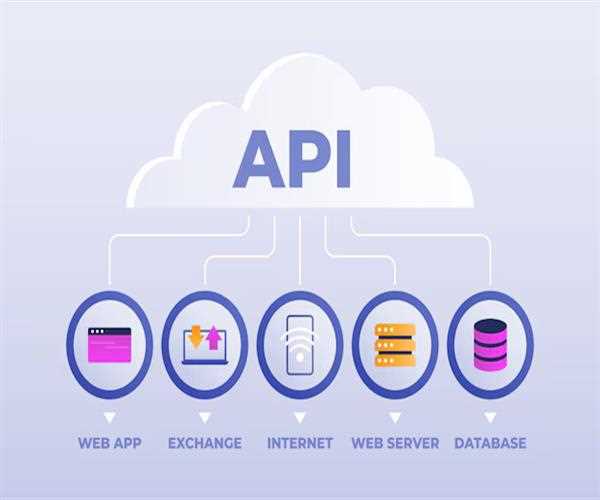
HTML Fetch API
The Fetch API is a modern interface that allows you to make HTTP requests from web pages to servers.
Here is a basic guidelines for using the Fetch API,
Making a GET request
You can use a simple GET request to retrieve data from the server
<script>
        fetch('https://jsonplaceholder.typicode.com/posts')
            .then(response => response.json()) // Parse the JSON from the response
            .then(data => console.log(data)) // Handle the data from the response
            .catch(error => console.error('Error:', error)); // Handle any errors
    </script>
Basic Usage
To make a basic fetch request, you can use the fetch
function, which returns a promise that resolves
to the response object representing the network response.
Example-
<!DOCTYPE html>
<html lang="en">
<head>
    <meta charset="UTF-8">
    <meta name="viewport" content="width=device-width, initial-scale=1.0">
    <title>HTML Graphics Example</title>
    <style>
        .card {
            background-color: #fff;
            border-radius: 8px;
            box-shadow: 0 4px 8px rgba(0, 0, 0, 0.1);
            overflow: hidden;
            width: 300px;
            transition: transform 0.2s;
            margin: 10px;
        }

        .card:hover {
            transform: translateX(+5px);
        }

        .card-content {
            padding: 16px;
        }
        .card-title {
            font-size: 1.3em;
            margin: 0 0 10px;
        }

        .card-text {
            font-size: 1.1em;
            color: #555;
        }
        #card-parent{
            display: flex;
            flex-wrap: wrap;
        }
        .card-content p.card-id{
            margin: 0;
            background-color: aliceblue;
            padding: 5px;
            border-radius: 20px;
        }
    </style>
</head>
<body>
    <h2>Fetch data from API using HTML Fetch API</h2>
    <div class="container" id="card-parent">
    </div>

    <script>
        const createCard = (id, title, body) => {
            // create html card with
            var card = document.createElement('div');
            card.className = 'card';
            card.innerHTML = `
                <div class="card-content">
                    <p class= "card-id">${id}</p>
                    <hr />
                    <p class="card-title">${title}</p>
                    <p class="card-text">${body}</p>
                </div>`;
            return card;
        };

        // fetch JSON data from public API using JavaScript fetch function
        fetch('https://jsonplaceholder.typicode.com/posts')
            .then(response => response.json()) // Parse JSON data from response
            .then(data => {

                // bind the dynamic HTML cards into HTML
                const cardParent = document.querySelector("#card-parent");
                data.forEach(element => {

                    // pass the API data as argument in createCard function for binding
                    const card = createCard(element.id, element.title, element.body);
                    cardParent.appendChild(card);
                });
            })
            .catch(error => console.error('Error:', error)); // Handle any errors
    </script>

</body>
</html>
In the above example-
- The createCard function creates a new card element, formats its contents with template literals, and returns the card element.
- fetch call Fetches data from the API.
- The forEach loop iterates over the data, creating a card for each record using the
createCard function, and appending it to the
#card-parentcontainer using appendChild.
This option ensures that each card has the id, title,
and body information properly populated from the API response, and that each card is associated with the object.
Output-

In this article, discussed the basic implementation details of the Fetch API. Once you understand these, you can handle most of the common tasks involved in making HTTP requests in your web applications.
Also, Read: HTML Graphics using HTML


Leave a Comment