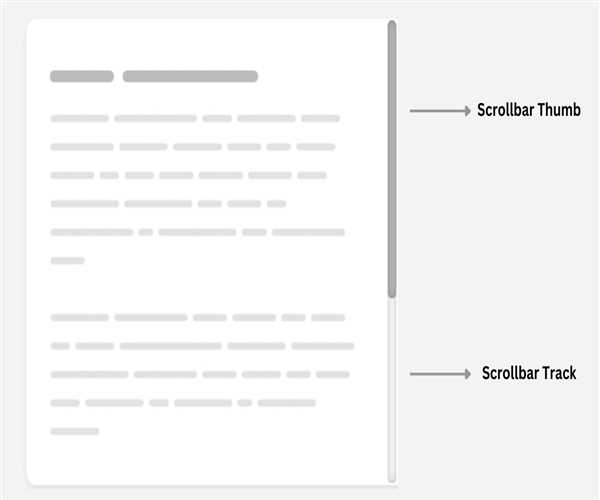
Creating Scroll bar Using CSS
When you create a custom scrollbar with CSS it uses the ::-webkit-scrollbar pseudo-element, which allows you to style scrollbar elements like track, thumb, buttons, etc. However, it is necessary to force it to note that this feature is based on WebKit-specific browsers (Chrome and Safari used. etc.) that are supported and may not work on all browsers or versions
Basic Syntax
/* Define scrollbar styles for WebKit-based browsers*/
::-webkit-scrollbar {
 width: 10px; /* width of the scrollbar */
}
/* Track */
::-webkit-scrollbar-track {
 background: #f1f1f1; /* color of the track */
}
/* Handle */
::-webkit-scrollbar-thumb {
 background: #888; /* color of the scrollbar handle */
}
/* Handle on hover */
::-webkit-scrollbar-thumb:hover {
 background: #555; /* change color of the scrollbar handle on hover */
}
You can customize these styles to suit your website design. Keep in mind that this CSS only works in WebKit-based browsers. For other browsers, you may need to use vendor prefixes or other techniques to get the same effect.
Example-
<!DOCTYPE html>
<html lang="en">
<head>
<meta charset="UTF-8">
<meta name="viewport" content="width=device-width, initial-scale=1.0">
<title>Custom Scrollbar Example</title>
<style>
  /* Define scrollbar styles for WebKit-based browsers */
  /* Track */
  ::-webkit-scrollbar {
    width: 10px; /* width of the scrollbar */
  }

  ::-webkit-scrollbar-track {
    background: #f1f1f1; /* color of the track */
  }

  /* Handle */
  ::-webkit-scrollbar-thumb {
    background: #888; /* scrollbar handle color */
    border-radius: 5px; /* The roundness of the scrollbar handle */
  }

  /* Handle on hover */
  ::-webkit-scrollbar-thumb:hover {
    background: #555; /* Color of scrollbar handles on hover */
  }

  /* Content container */
  .content {
    height: 150px; /* content container height*/
    overflow-y: scroll; /* enabling the vertical scrollbar */
    padding: 10px; /* Add some padding for better look */
  }
</style>
</head>
<body>

<div class="content">
  <h2>CSS Custom Scroll bar Example</h2>
  <p>Lorem ipsum dolor sit amet, consectur adipiscing elit. That is right. Pallantesque habitus, tristic senctus, natus and maleusuda fames and turpis agestas. Integer status aristocratic and turpis pretium, sit amet hendrerit quam mattis.</p>
  <!-- Repeat paragraphs to lengthen content and create scrollbars -->
  <p>Lorem ipsum dolor sit amet, consectur adipiscing elit. That is right. Pallantesque habitus, tristic senctus, natus and maleusuda fames and turpis agestas. Integer status aristocratic and turpis pretium, sit amet hendrerit quam mattis.</p>
  <!-- Repeat more paragraphs if needed -->
</div>

</body>
</html>- In the above example-
We use::-webkit-scrollbarto describe the methods for creating the scrollbar, targeting WebKit-based browsers like Chrome and Safari. - We specify the width and background color of the scrollbar track (
::-webkit-scrollbar-track) and the background color of the scrollbar handle (::-webkit-scrollbar-thumb). - We also add a hover effect for the scrollbar handle (
::-webkit-scrollbar-thumb:hover). - Finally we have a content container (
<div class="content">) with a fixed height and anoverflow-y: scrollproperty to fill the scrollbar.
Example-

Also, Read: How to use @media in CSS


Leave a Comment