Search Engine Optimization for WordPress
WordPress, straight out of the box, comes ready to embrace search engines. Its features and functions guide a search engine through the posts, pages, and categories to help the search engine crawl your site and gather the information it needs
Validating a Website using WordPress
Validating a website is the process of ensuring that the pages on the website conform to the norms or standards defined by various organizations. Vali
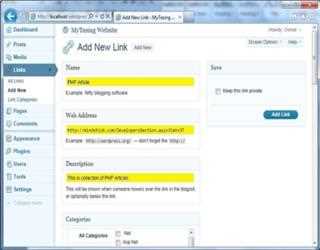
Creating and Using Links in WordPress
WordPress allows you to store a set of external links known as blogroll. These links can be put into categories, imported, exported, added, deleted, and edited. The link categories can also be added, deleted, and edited.
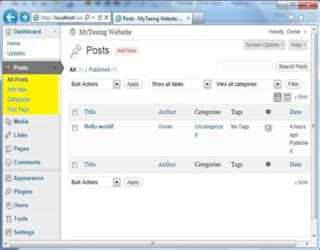
WordPress Admin Panel
Before discussing about in more of WordPress software let me tell you that WordPress has two sections first one is admin panel and second one is user panel. Let’s have a first look of WordPress after successful installation.
Creating and Using Pages in WordPress
In WordPress, you can write either posts or pages. When you're writing a regular blog entry, you write a post. Posts automatically appear in reverse chronological order on your blog's home page.
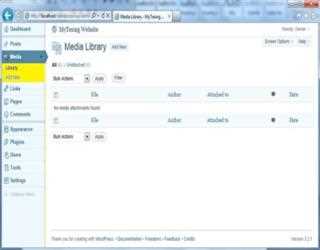
Creating and Using Media in WordPress
Media is the images, video, recordings, and files, you upload and use in your blog. Media is typically uploaded and inserted into the content when writing a Post or Page.
How to Implement Security in WordPress
In this article I will discuss about, how to implement security in website using WordPress. To implement security in WordPress; the following componen
WordPress API’s
The WordPress API stands for the WordPress Application Programming Interface. It can be separated into multiple API sections or topics. Each covers the functions involved in and use of a given set of functionality.
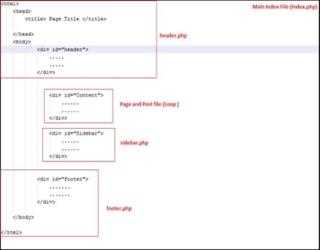
Custom Theme Development in WordPress
WordPress is a powerful blogging tool to using Content Management System (CMS). By default, WordPress provides lots of inbuilt themes, which can be used you in your website.
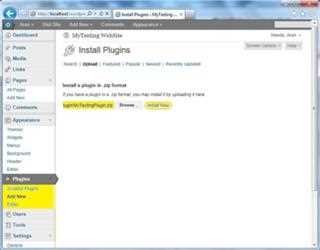
Creating Plugin in WordPress
WordPress Plugins allow easy modification, customization, and enhancement to a WordPress blog. Instead of changing the core programming of WordPress, you can add functionality with WordPress Plugins.

Custom Theme in WordPress
This article is about developing WordPress Themes. In this article I will discusses the technical aspects of writing code to build your own themes r
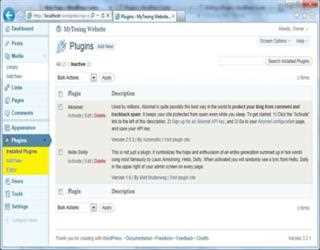
Using Plugins in WordPress
Plugins extend and expand the functionality of WordPress. Once a plugins is installed, you may activate it or deactivate it here. Plugins allow you to add new features to your WordPress blog that don't come standard with the default installation.