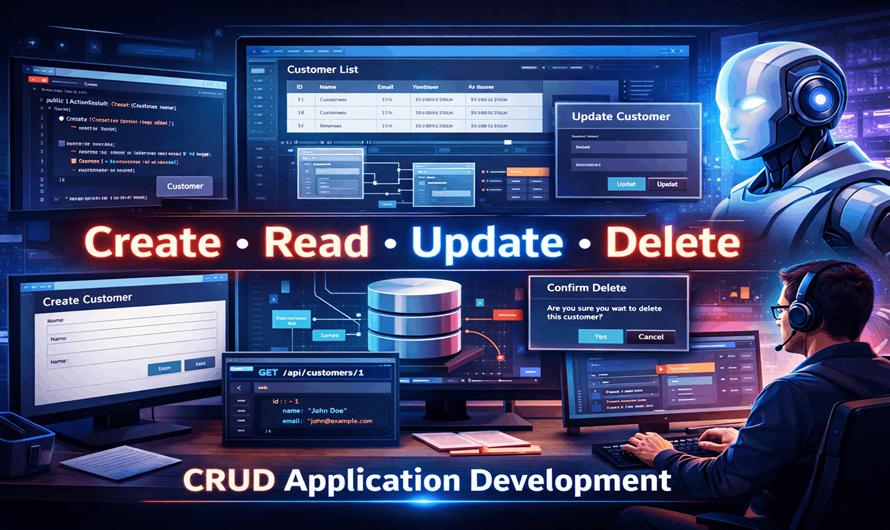
Creating a complete CRUD (Create, Read, Update, Delete) application is one of the most common tasks in software development. Whether you're building a customer management system, inventory platform, blog engine, or enterprise application, CRUD operations form the foundation of most business software.
Traditionally, developers spend hours designing database schemas, creating APIs, writing frontend forms, implementing validation, and testing application workflows. With modern AI assistants like Claude, much of this work can be accelerated significantly.
Claude can help generate code, review architecture, create database models, build APIs, generate user interfaces, write tests, and even assist with deployment strategies.
What Is a CRUD Application?
CRUD stands for:
- Create – Add new records
- Read – Retrieve existing records
- Update – Modify records
- Delete – Remove records
Almost every business application relies on these operations.
Examples include:
| Application | CRUD Entity |
|---|---|
| Blog System | Articles |
| E-Commerce | Products |
| HR Software | Employees |
| CRM | Customers |
| School Management | Students |
| Hospital Management | Patients |
A typical CRUD application consists of:
- Database
- Backend API
- Business Logic Layer
- Validation Layer
- Frontend Interface
- Authentication and Authorization
- Testing Framework
Why Use Claude for CRUD Development?
Claude acts as an AI development assistant throughout the entire software development lifecycle.
It can help with:
- Project planning
- Database design
- API development
- Frontend creation
- Code reviews
- Security checks
- Documentation
- Testing
Instead of writing every component manually, developers can use Claude to generate production-ready starting points.
Step 1: Designing the Application
Suppose we're building a Customer Management System.
A useful prompt might be:
Design a Customer Management System.

Requirements:
- ASP.NET MVC
- SQL Server
- Entity Framework
- Authentication
- Customer CRUD
- Search and Filtering
- Pagination

Suggest architecture and database schema.
Claude typically generates:
- Project structure
- Entity relationships
- Service layer design
- Repository pattern recommendations
- Database tables
This saves significant planning time.
Step 2: Creating Database Models
Consider a customer entity:
public class Customer
{
    public int Id { get; set; }

    public string Name { get; set; }

    public string Email { get; set; }

    public string Phone { get; set; }

    public DateTime CreatedDate { get; set; }
}
Claude can generate:
- Entity classes
- Data annotations
- Validation attributes
- Relationships
- Migration scripts
It can also recommend indexing strategies for better performance.
Step 3: Generating CRUD Controllers
One of the most time-consuming tasks is creating CRUD endpoints.
Prompt example:
Generate a CustomerController with:

- Create
- Edit
- Delete
- Details
- List

Use ASP.NET MVC and Entity Framework.
Claude can generate:
- Controller methods
- View models
- Validation logic
- Error handling
- Async database operations
This dramatically reduces boilerplate coding.
Step 4: Building Forms and User Interfaces
Frontend forms often require repetitive development work.
Claude can generate:
Create Form
<form method="post">
    <input type="text" name="Name" />

    <input type="email" name="Email" />

    <button type="submit">
        Save
    </button>
</form>
Beyond simple examples, Claude can generate:
- Bootstrap forms
- Responsive layouts
- Validation messages
- Modal dialogs
- Search panels
- Data tables
This allows developers to focus on business requirements instead of repetitive UI construction.
Step 5: Implementing Read Operations
Displaying data effectively is essential for CRUD applications.
Claude can help generate:
- Listing pages
- Search functionality
- Sorting
- Filtering
- Pagination
Example prompt:
Generate a paginated customer listing
with search by name and email.
Generated solutions often include:
- LINQ queries
- Paging logic
- Search filters
- Performance optimizations
Step 6: Update Operations
Editing records typically involves:
- Loading data
- Validation
- Updating entities
- Error handling
Claude can generate update workflows while ensuring:
- Existing data is preserved
- Validation rules are respected
- Exceptions are handled correctly
- This helps reduce common CRUD bugs.
Step 7: Delete Operations
Deletion functionality requires additional care.
Claude often recommends:
- Confirmation dialogs
- Soft deletes
- Audit logging
- Authorization checks
Instead of:
_context.Customers.Remove(customer);
Claude may suggest:
customer.IsDeleted = true;
Soft-delete patterns improve data recovery and compliance.
Step 8: Adding Validation
Data validation is critical.
Claude can generate validation rules such as:
[Required]
[StringLength(100)]
public string Name { get; set; }
It can also create:
- Custom validators
- Business rule validation
- Client-side validation
- Server-side validation
This ensures data consistency throughout the application.
Step 9: Authentication and Authorization
Most production applications require user management.
Claude can assist with:
- Login systems
- Role management
- Permission checks
- Claims-based authorization
Example roles:
- Administrator
- Manager
- Employee
- Customer
It can also review authorization logic to identify security weaknesses.
Step 10: Creating REST APIs
Modern applications frequently expose CRUD functionality through APIs.
Example endpoint:
GET /api/customers
Claude can generate:
- API controllers
- DTOs
- Swagger configuration
- Validation middleware
- Error responses
This enables frontend frameworks and mobile applications to consume data efficiently.
Step 11: Writing Unit Tests
Testing is often neglected because of time constraints.
Claude can generate:
- Unit tests
- Integration tests
- Mock repositories
- Test data builders
Example prompt:
Generate xUnit tests for
CustomerService.
This helps improve reliability and maintainability.
Step 12: Security Improvements
CRUD applications often contain vulnerabilities.
Claude can review code for:
- SQL Injection
- XSS attacks
- CSRF risks
- Authentication flaws
- Authorization issues
- Sensitive data exposure
It can suggest secure coding practices before deployment.
Step 13: Performance Optimization
As data grows, CRUD operations may become slower.
Claude can recommend:
- Database indexing
- Query optimization
- Lazy loading improvements
- Caching strategies
- Pagination implementation
Example:
Instead of loading 100,000 records:
var customers = db.Customers.ToList();
Claude may recommend:
var customers = db.Customers
                  .Skip(page * pageSize)
                  .Take(pageSize);
This improves scalability significantly.
Step 14: Documentation Generation
Documentation is another area where Claude excels.
It can automatically generate:
- API documentation
- Database documentation
- Deployment guides
- Developer onboarding guides
- User manuals
This reduces maintenance overhead and improves team collaboration.
Example End-to-End Prompt
Many developers achieve excellent results using comprehensive prompts.
Example:
Build a complete ASP.NET MVC CRM system.

Requirements:
- SQL Server
- Entity Framework
- Repository Pattern
- Customer CRUD
- Authentication
- Role Management
- Search
- Pagination
- Audit Logging
- Unit Tests

Generate code step-by-step.
Claude can then guide the development process from database design to deployment.
Best Practices When Using Claude
Be Specific
Detailed prompts produce better results.
Build Incrementally
Generate one layer at a time:
- Models
- Services
- Controllers
- Views
- Tests
Review Generated Code
Always validate generated code before deployment.
Apply Security Reviews
Run security checks on generated code to ensure compliance with organizational standards.
Refactor Generated Output
Use Claude's initial implementation as a foundation and refine it according to project requirements.
Advantages of Using Claude for CRUD Applications
Faster Development
Reduces repetitive coding tasks.
Improved Productivity
Developers focus more on business logic.
Better Documentation
Documentation can be generated alongside code.
Security Awareness
Potential vulnerabilities can be identified early.
Learning Tool
Developers gain insights into frameworks, design patterns, and best practices.
Limitations
Claude is highly capable, but developers should remember:
- Generated code may require refinement
- Business requirements still need human interpretation
- Performance tuning may need additional optimization
- Security testing should not rely solely on AI
- Human expertise remains essential for production-grade applications.
Conclusion
Claude is transforming how developers build CRUD applications. From database design and API generation to validation, testing, security reviews, and documentation, it can accelerate nearly every phase of development.
By combining Claude's code-generation capabilities with developer expertise, teams can reduce development time, improve code quality, and focus on solving business problems rather than writing repetitive boilerplate code.
For organizations building modern web applications, internal business tools, SaaS platforms, and enterprise systems, Claude can serve as a highly effective development companion throughout the entire CRUD application lifecycle.


Leave a Comment