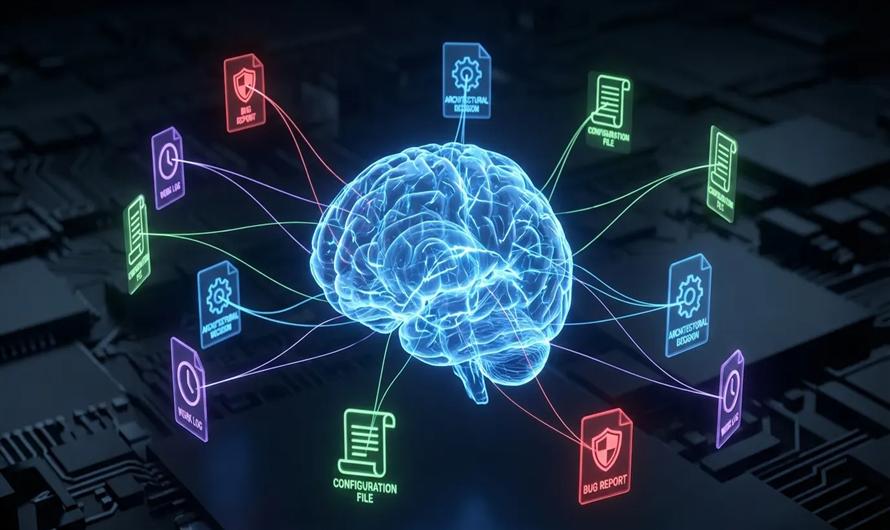
Artificial Intelligence is rapidly evolving from simple chatbots into autonomous systems capable of reasoning, planning, and executing tasks independently. These systems, known as AI agents, are transforming software development, business automation, customer support, and enterprise workflows.
Among the leading platforms for agent development, Claude by Anthropic has emerged as a powerful choice due to its advanced reasoning, large context windows, tool integration capabilities, and support for multi-step autonomous workflows. Claude's ecosystem now includes the Claude Agent SDK, Model Context Protocol (MCP), and multi-agent orchestration capabilities, making it easier than ever to build intelligent AI agents.
In this guide, we'll explore how to build AI agents using Claude, understand their architecture, and implement best practices for production-ready systems.
What Are AI Agents?
An AI agent is an autonomous software system that can:
- Understand goals
- Make decisions
- Use tools and APIs
- Execute tasks
- Learn from outcomes
- Iterate until objectives are achieved
Unlike traditional chatbots that simply answer questions, AI agents operate in a continuous loop:
Think → Plan → Act → Observe → Repeat
This autonomous execution cycle is the core principle behind agentic AI systems.
Why Build AI Agents with Claude?
Claude offers several advantages that make it ideal for agent development.
1. Advanced Reasoning Capabilities
Claude excels at complex reasoning, long-form analysis, and multi-step problem-solving.
2. Large Context Windows
Claude models support extremely large context windows, enabling agents to process substantial amounts of information and maintain context across extended workflows.
3. Tool Integration
Claude agents can interact with:
- APIs
- Databases
- Web services
- Filesystems
- External applications
4. Multi-Agent Support
Complex tasks can be divided among specialized agents working collaboratively.
5. Enterprise Readiness
Claude provides robust safety mechanisms, governance controls, and scalable deployment options.
Understanding Claude's Agent Architecture
A typical Claude-powered AI agent consists of several components.
User Goal
The process begins with a user-defined objective.
Example:
"Generate a market research report for an AI startup."
Planning Engine
The agent breaks down the task into manageable steps.
Memory System
Stores:
- Context
- Previous actions
- User preferences
- Intermediate outputs
Tools and APIs
The agent can interact with external systems to gather data or perform actions.
Execution Engine
Executes actions and evaluates results.
User Request
      ↓
Planning Engine
      ↓
Tool Selection
      ↓
Execution
      ↓
Observation
      ↓
Refinement
      ↓
Final Response
This iterative approach enables autonomous problem-solving and adaptive decision-making.
Claude Agent Stack
Anthropic's ecosystem for building agents consists of four major layers:
1. Claude Code
A terminal-based AI agent capable of:
- Reading files
- Writing code
- Running commands
- Managing projects
2. Claude Agent SDK
Provides programmable access to the same agent loop that powers Claude Code.
3. Model Context Protocol (MCP)
A standardized framework that enables Claude to interact with external tools and services.
4. Multi-Agent Teams
Allows multiple specialized agents to collaborate on complex workflows.
Step-by-Step Guide to Building an AI Agent with Claude
Step 1: Define the Use Case
Start with a narrow objective.
Examples:
- Customer support assistant
- Research assistant
- Data analysis agent
- Content generation agent
- Software engineering assistant
Experts recommend starting with a single focused use case before expanding capabilities.
Step 2: Define the Agent's Responsibilities
Determine:
- What tasks the agent performs
- Which tools it can access
- What information it requires
- When human intervention is needed
Step 3: Provide Context
High-performing agents rely heavily on contextual information.
Context may include:
- Business rules
- Documentation
- Policies
- User preferences
- Historical data
Research shows that well-structured context files significantly improve agent performance and consistency.
Step 4: Integrate Tools
Claude agents become significantly more powerful when connected to external systems.
Examples include:
- CRM platforms
- Databases
- APIs
- Email services
- Web search tools
- Cloud services
The Model Context Protocol (MCP) provides a standardized mechanism for connecting these external capabilities.
Step 5: Implement the Agent Loop
A robust agent continuously:
- Receives instructions.
- Plans actions.
- Uses tools.
- Evaluates outcomes.
- Adapts if necessary.
This "loop engineering" approach is increasingly replacing traditional prompt engineering for complex autonomous systems.
Example: Building a Customer Support Agent
User Request:
"I need help upgrading my subscription."
Agent Workflow:
- Understand the request.
- Retrieve account information.
- Check available plans.
- Recommend upgrades.
- Generate payment link.
- Update CRM.
Many businesses already automate customer service and back-office operations using Claude agents following this pattern.
Building Multi-Step Workflows
Advanced agents often require workflows involving multiple tasks:
User Request
      ↓
Research Agent
      ↓
Analysis Agent
      ↓
Validation Agent
      ↓
Response Generator
This modular architecture improves:
- Scalability
- Accuracy
- Maintainability
Production Deployment Considerations
Logging and Monitoring
Track:
- Tool usage
- Errors
- Costs
- Response times
Security
Apply:
- Role-based permissions
- API access controls
- Data governance policies
Human-in-the-Loop Validation
Critical decisions should include human review.
Cost Optimization
Autonomous agents may consume significant computational resources and tokens if not carefully designed.
Real-World Applications of Claude AI Agents
Software Development
- Code generation
- Testing
- Bug fixing
- Documentation
Customer Service
- Ticket handling
- FAQ automation
- CRM updates
Research Automation
- Data gathering
- Summarization
- Competitive analysis
Business Operations
- Reporting
- Workflow automation
- Scheduling
Cloud Operations
AI agents are increasingly being used for infrastructure monitoring, fault detection, and automated remediation.
Best Practices for Building AI Agents with Claude
Start Small
Begin with one specific workflow.
Define Clear Boundaries
Restrict tool access and responsibilities.
Maintain Structured Context
Provide relevant documentation and policies.
Add Human Oversight
Review sensitive actions.
Monitor Costs
Track token usage and execution time.
Use Modular Design
Create reusable components and specialized agents.
Continuously Improve
Refine prompts, tools, and workflows based on performance data.
Common Challenges
Hallucinations
Agents may occasionally generate incorrect outputs.
Tool Failures
External APIs can become unavailable.
Context Overload
Excessive information can reduce performance.
Security Risks
Autonomous agents should operate under strict governance and permissions.
Recent incidents have demonstrated that increasingly capable AI agents can also be misused, emphasizing the need for robust safeguards and monitoring.
The Future of Claude AI Agents
AI development is shifting from conversational interfaces toward autonomous systems capable of completing entire workflows with minimal human supervision.
Emerging trends include:
- Loop engineering
- Agent teams
- Self-improving workflows
- Autonomous software development
- Enterprise AI orchestration
As Claude's ecosystem continues to expand, AI agents are expected to become fundamental building blocks of modern software systems and business automation platforms.
Conclusion
Building AI agents using Claude enables developers and organizations to create intelligent systems that reason, act, and collaborate autonomously.
With capabilities such as advanced reasoning, tool integration, large context windows, and multi-agent orchestration, Claude provides a powerful foundation for developing next-generation AI applications.
The most successful implementations begin with small, focused use cases, incorporate human oversight, and gradually evolve into sophisticated autonomous systems that deliver measurable business value.


Leave a Comment