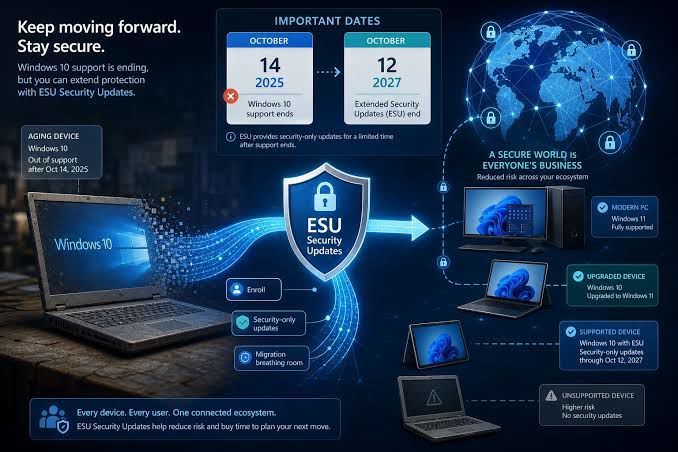
October 26, 2026 — Microsoft’s one-year consumer security extension for Windows 10 ended on October 13, closing the last regular route to security updates for eligible home users who stayed on the operating system after its support deadline.
The change does not disable Windows 10 computers. They can still start, run installed applications and access files. But for consumers who were relying on the Extended Security Updates (ESU) program, the protection window has now closed: their devices no longer receive the program’s monthly security fixes.
A one-year reprieve is over
Microsoft ended standard support for Windows 10 on October 14, 2025. For consumers using eligible devices, the ESU program provided an additional year of security updates, ending on October 13, 2026. The program was designed as a temporary bridge for people who needed more time to move to a supported system—not as a new long-term support commitment.
ESU updates addressed security vulnerabilities, but they did not bring new Windows features or turn Windows 10 back into a fully supported product. The release most home users remained on was Windows 10 22H2, the operating system’s final feature update.
What changes for PC owners?
For someone who enrolled in ESU, the practical difference is what happens when new security issues are discovered: those fixes are no longer provided through the consumer extension. The PC will keep working, but using it for email, banking or other sensitive tasks carries more risk as unpatched vulnerabilities accumulate.
That distinction can be easy to miss. A computer may appear unchanged after the deadline, and familiar apps may continue to open normally. The concern is the loss of regular security updates, not an overnight shutdown or the immediate disappearance of personal files.
Consumers who have not yet moved have a few options:
- Check whether the PC can run Windows 11. Microsoft’s compatibility checks can help identify whether the hardware meets the operating system’s requirements.
- Upgrade or replace the device. A supported Windows version is the most straightforward choice for users who depend on Windows software and want ongoing security maintenance.
- Choose another supported operating system. This may suit some older computers, though users should first confirm that the applications and peripherals they rely on will work.
- Keep an unsupported PC away from sensitive use. If it must remain in service, limiting its internet access and avoiding important accounts can reduce exposure, but those precautions are not a substitute for security fixes.
Businesses have a separate timeline
The consumer deadline does not mean every Windows 10 installation worldwide lost all access to paid security coverage on the same day. Organizations can use commercial ESU arrangements, which are distinct from the consumer program and can provide additional years of updates through annual purchases. That route is intended for managed environments that need time to complete a migration, not as a default extension for household PCs.
For home users, the key date is now in the rear-view mirror: consumer ESU coverage ended on October 13, 2026. If a Windows 10 computer is still a daily-use machine, checking its support status and deciding on a migration plan is more consequential than waiting for another feature update.