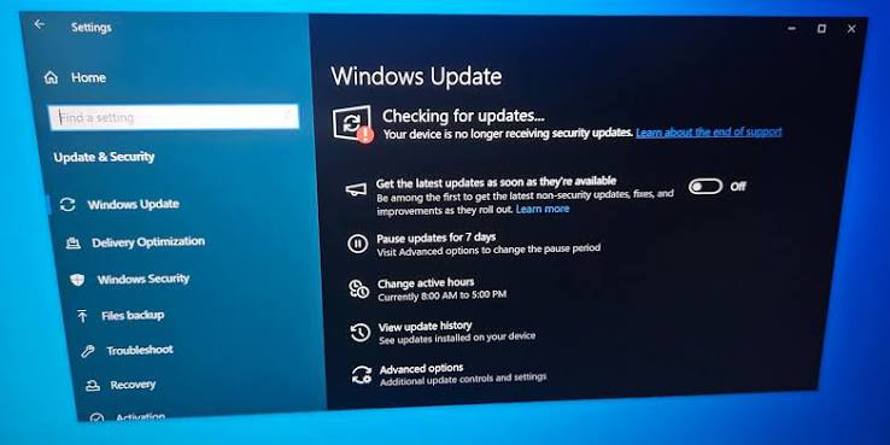
Windows 10 users who relied on Microsoft’s temporary security extension have reached another support deadline. The company’s published timetable set October 13, 2026 as the end of its consumer Extended Security Updates programme, closing the one-year bridge offered after ordinary Windows 10 support ended.
For households still using the operating system, the distinction matters: enrolling in that programme bought additional security coverage, not a permanent reprieve. Under the published schedule, that consumer coverage has now reached its endpoint. Business subscriptions and certain specialised Windows editions follow different arrangements.
The deadline does not remotely disable a computer. Windows 10 can still boot, open files and run compatible software. What changes is the security support behind it—and, for anyone keeping an older PC in daily use, the assumptions they can safely make about future fixes.
A temporary bridge, not a second support lifecycle
Microsoft ended standard support for Windows 10 on October 14, 2025. Its consumer Extended Security Updates programme gave eligible personal devices an additional year of critical and important security updates, as defined by Microsoft.
That extension was narrower than normal product support. It was not a promise of new Windows features, a broad programme of reliability improvements or a renewed commitment to keep the operating system current indefinitely. Its purpose was to give people more time to move away from Windows 10 without immediately losing coverage for qualifying security vulnerabilities.
The October 2026 milestone is therefore the expiry of a previously announced arrangement, rather than a newly announced shutdown. It also means advice written around last year’s deadline needs to be read carefully. “Enrol in the consumer extension” is no longer an open-ended answer to the question of how to keep an older Windows installation protected.
Microsoft’s published consumer timetable should not be confused with its commercial offer. Organisations can purchase commercial Extended Security Updates for longer, subject to the programme’s licensing terms. That does not automatically give a household PC the same entitlement.
Why a working PC can still present a support problem
Windows 10’s longevity has left many owners facing an awkward mismatch: their hardware still handles ordinary tasks, but the operating system’s support clock has run out. A laptop used for email, spreadsheets and video calls may feel no slower this month than it did last month.
Security maintenance is a different question from performance. If a newly discovered flaw affects an operating-system component, continuing to use the machine normally does not make that flaw disappear. Without applicable support coverage, the owner cannot assume a routine Windows update will deliver a fix.
There is no sudden moment at which every unsupported PC becomes compromised. Risk depends on the vulnerabilities discovered, the software installed, the device’s exposure and how it is used. Nevertheless, the absence of a dependable patch path makes a general-purpose, internet-connected computer harder to defend over time.
Browser security updates remain valuable, as do current applications and reputable endpoint protection. But they do not replace operating system security patches. A browser vendor can fix its own software; it cannot take over responsibility for every vulnerable Windows component beneath it.
Backups have a similarly specific role. They can reduce the damage from lost or encrypted files, but they do not prevent stolen account credentials or the disclosure of sensitive information.
The replacement decision is not simply “buy a new computer”
For an eligible device, moving to a supported Windows 11 installation is the most direct route within Microsoft’s consumer desktop ecosystem. Owners should check Windows 11 hardware requirements against the actual machine rather than judging compatibility from its age or speed alone.
Processor eligibility, TPM 2.0 and Secure Boot capability can affect the result. Some systems need a configuration change before their eligibility is correctly recognised; others genuinely fall outside Microsoft’s supported hardware requirements. Microsoft’s PC Health Check tool can help distinguish those situations.
Installing Windows 11 through an unsupported workaround is not equivalent to a supported upgrade. Microsoft warns that devices which do not meet its requirements are not guaranteed updates, including security updates. That makes a bypass a poor substitute for a reliable long-term support plan.
For incompatible hardware, the realistic choices depend on what the owner needs:
- Replace the main computer: A supported new or refurbished device may be appropriate where Windows-only applications, work requirements or sensitive accounts make continued support essential.
- Assess another supported operating system: A Linux distribution may extend the useful life of some hardware, but application availability, accessibility tools, printers and other peripherals need checking first.
- Repurpose the device: An older PC may remain useful for a limited offline task. Keeping it away from routine browsing and sensitive accounts reduces exposure, although removable drives and later network connections still require care.
Before any migration, owners should verify their backups, confirm access to important accounts and check that essential applications will work on the replacement system. If device encryption is enabled, retaining the recovery key is also sensible. A support deadline is a reason to plan a transition, not to risk losing data through a rushed installation.
Businesses need to check entitlement, not just the Windows version
The consumer cutoff does not mean every Windows 10 installation has the same patch status. Microsoft’s commercial Extended Security Updates programme offers eligible organisations up to three years of additional security coverage after ordinary support ends, with annual licensing requirements.
Specialised releases, including Windows 10 Long-Term Servicing Channel editions, have their own lifecycle dates. Their support cannot be inferred from the consumer deadline, and they are not interchangeable substitutes for an ordinary home installation.
For IT teams, the practical issue is therefore evidence: which edition is installed, which support arrangement applies, whether the necessary licences and activation are in place, and whether updates are actually arriving. A machine appearing in an inventory as “Windows 10” does not answer those questions.
The same caution applies to personal computers used for work. An employer’s coverage for managed devices should not be assumed to extend to an employee’s separately owned home PC.
The immediate takeaway from the scheduled cutoff is straightforward: owners who relied on the consumer extension need a supported next destination, not merely a working installation. The hardware may have years of useful life left, but its security plan now needs to account for the end of that temporary coverage.
Source basis: Microsoft’s published Windows 10 end-of-support guidance and Extended Security Updates documentation. This report concerns the scheduled consumer deadline; commercial licensing and specialised-edition lifecycle terms differ.