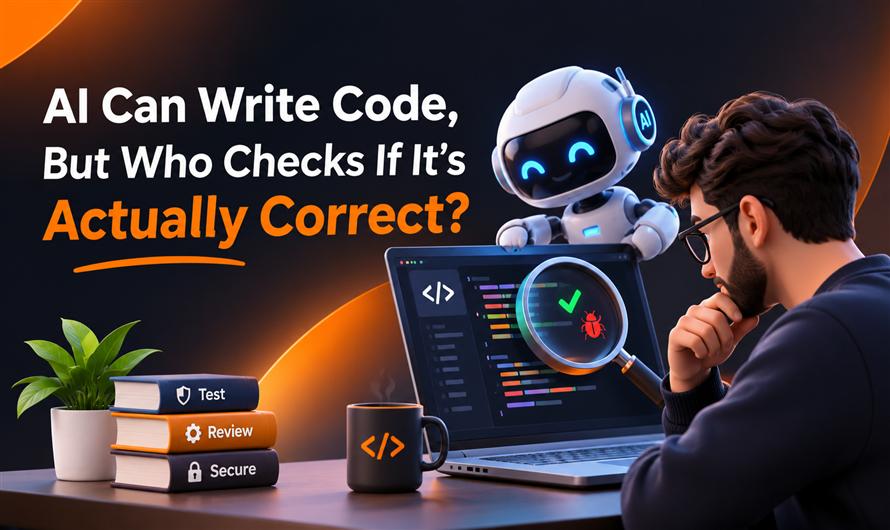
Artificial intelligence is changing the way software is developed. A few years ago, developers spent hours writing functions, searching for bugs, reading documentation, and fixing errors. Today, AI coding tools can help with many of these tasks in just a few minutes.
You can describe a feature in plain English, and an AI coding assistant can suggest the code. Some advanced AI coding agents can go even further. They can examine project files, modify multiple parts of an application, run commands, and help complete development tasks.
Sounds impressive, right?
But there is one important question we should not ignore: How do we know that the code generated by AI is actually correct?
Code that looks good is not necessarily code that works correctly. It might contain hidden bugs, security problems, incorrect assumptions, or performance issues. In some cases, it may work perfectly during a simple test but fail when real users start using the application.
This is why AI-generated code needs proper testing, verification, and human review.
Let's understand why this matters, what risks developers should know about, and how we can use AI coding agents more responsibly.
What Are AI Coding Agents?
AI coding agents are AI-powered tools that help developers perform software development tasks. Unlike traditional code-completion tools that mainly suggest the next line of code, coding agents can work on larger tasks with more independence.
For example, a developer might ask an AI coding agent:
"Create a login page, connect it to the authentication API, add validation, and write unit tests."
Depending on the tool and its permissions, the agent may:
- Understand the project structure.
- Read and modify existing files.
- Generate new code.
- Install or suggest dependencies.
- Run commands and tests.
- Identify errors and suggest fixes.
- Prepare changes for a developer to review.
Tools such as GitHub Copilot, Cursor, Claude Code, and OpenAI Codex offer different forms of AI-assisted or agentic development. Their exact capabilities depend on the product, configuration, and permissions.
The important difference is that developers are increasingly moving from asking AI to suggest code toward asking AI to complete entire development tasks.
That makes verification even more important.
How AI Coding Agents Are Changing Software Development
AI coding agents can make everyday development work faster. They can reduce repetitive work and help developers focus on larger engineering problems.
Here are some common ways developers use them.
1. Faster code generation
Developers can describe a requirement and ask an AI tool to generate a function, class, API endpoint, or application component.
2. Debugging assistance
AI can examine error messages and code snippets to suggest possible causes and fixes. Developers still need to confirm whether the suggested fix addresses the actual problem.
3. Code refactoring
AI tools can help reorganize existing code, improve readability, and reduce duplication. However, refactoring must preserve the original application behavior.
4. Test generation
Some coding agents can generate unit tests and help developers identify missing test cases. These tests still need review because generated tests can sometimes repeat the same incorrect assumptions as the code they are testing.
5. Understanding unfamiliar projects
AI can summarize files, explain functions, and help developers understand large or unfamiliar codebases.
These capabilities can improve productivity, but faster development does not automatically mean better software.
Why AI-Generated Code Is Not Always Correct
AI models generate responses based on patterns learned from training data and the context provided to them. They can produce useful code, but they do not automatically understand every business requirement or every condition in which an application will run.
Consider a simple example.
Imagine a shopping application that gives customers a discount when they spend ₹5,000 or more.
A developer asks an AI tool to write a discount calculation function. The generated code might look like this:
public decimal CalculateDiscount(decimal amount)
{
    if (amount > 5000)
    {
        return amount * 0.10m;
    }

    return 0;
}
At first glance, the code looks correct. It checks the order amount and calculates a 10% discount.
But there is a small problem.
The requirement says customers should receive the discount when they spend ₹5,000 or more. The condition uses > instead of >=.
This means a customer spending exactly ₹5,000 will not receive the discount.
A developer who simply copies the generated code without checking the requirement might miss this issue.
This is a simple example, but similar problems can appear in authentication, payment processing, database operations, and other important application features.
Other common problems include:
- Incorrect business logic.
- Missing input validation.
- Unhandled exceptions.
- Outdated methods or APIs.
- Poor handling of edge cases.
- Unnecessary dependencies.
- Performance problems.
- Insecure coding practices.
The biggest lesson is simple: AI-generated code should be treated as a proposal, not as a verified solution.
The risks become more important when an AI agent can do more than generate code.
An agent may be allowed to access project files, execute commands, install packages, or interact with external services. Without suitable restrictions, mistakes can affect more than one file or function.
Let's look at some important risks.
1. Security vulnerabilities
AI-generated code can contain insecure patterns, such as unsafe database queries, missing authorization checks, weak input validation, or hardcoded credentials.
For example, an AI tool might generate a database query using string concatenation instead of parameterized queries. The code may appear to work, but it can introduce SQL injection vulnerabilities.
Developers should review security-sensitive code carefully, especially authentication, authorization, payment, and data-handling features.
2. Incorrect or unnecessary dependencies
AI tools may suggest packages that are outdated, unsuitable, or even nonexistent.
Installing a dependency without checking its source, maintenance status, and security history can introduce unnecessary risks into a project.
3. Uncontrolled access
Some coding agents can execute terminal commands and interact with files or tools.
If an agent receives more permissions than it needs, an incorrect action or malicious instruction could cause unwanted changes.
Developers should limit access to sensitive files, credentials, production systems, and external services.
4. Prompt injection
AI coding agents may read external content such as issue descriptions, documentation, code comments, or pull requests.
That content can contain instructions designed to manipulate the agent into taking unintended actions. This is commonly called prompt injection.
Developers should treat external content as untrusted and ensure that agents cannot blindly follow instructions found inside it.
5. Unclear responsibility
If AI generates a bug, who is responsible?
The AI tool does not take responsibility for the application. The developer or team that reviews, approves, and deploys the code remains responsible for its quality and security.
Using AI does not remove the need for engineering accountability.
What Is Harness Engineering, and Why Does It Matter?
One emerging concept in AI-assisted software development is harness engineering.
In simple terms, harness engineering means building the right environment, instructions, rules, and verification processes around an AI coding agent so it can perform tasks more reliably.
Think of it like giving a new developer access to a project.
You would not simply give them unrestricted access to everything and ask them to make changes. You would provide coding standards, documentation, testing instructions, access controls, and a review process.
AI coding agents need similar boundaries.
A coding harness can include:
- Project-specific instructions and coding standards.
- Automated tests and build checks.
- Permission controls.
- Sandboxed execution environments.
- Code quality and security scanning.
- Logging and monitoring.
- Human approval before important changes are merged.
Gartner identified harness engineering and agent sandboxing among its strategic software engineering trends for 2026 and beyond. The direction is clear: organizations need to think not only about which AI model writes the code, but also about the controls and verification systems surrounding it.
A powerful AI model can generate code, but a well-designed development process helps determine whether that code is suitable for use.
How to Verify AI-Generated Code Before Using It
Developers should follow a proper verification process before accepting AI-generated code, especially when working on important application features.
Here is a practical checklist.
1. Understand the generated code
Do not accept code simply because it looks professional.
Read it and understand what each important section does. Check whether it actually meets the original requirement.
If you cannot explain what the code does, you should not blindly approve it.
2. Run unit tests
Unit tests help verify individual functions and components.
For example, in our discount calculation example, tests should check:
- An order below ₹5,000.
- An order exactly equal to ₹5,000.
- An order above ₹5,000.
- A zero or negative amount, if those inputs are possible.
Testing these conditions would help identify the boundary error in the generated code.
3. Test real-world scenarios
A function may pass basic tests but still fail when used with real application data.
Test unusual inputs, missing values, invalid requests, large datasets, and other situations relevant to the feature.
4. Review security
Check whether the generated code follows secure coding practices.
Pay special attention to:
- Authentication and authorization.
- Input validation.
- Database queries.
- Sensitive information.
- External API calls.
- File and system access.
Use appropriate security scanners and code review processes rather than relying only on an AI tool's explanation.
5. Check dependencies
Before adding a new package, verify that it exists and comes from a trustworthy source.
Review its maintenance status, version, license, and known security issues.
6. Use a controlled environment
Run AI-generated code in a development or testing environment before allowing it to affect production systems.
For coding agents, use restricted permissions and sandboxing where appropriate.
7. Require human review
Automated tests and security tools are important, but they do not replace engineering judgment.
A qualified developer should review important changes, understand their impact, and approve them before deployment.
Can AI Coding Agents Replace Software Developers?
This is one of the biggest questions surrounding AI-powered software development.
AI coding agents can already help with code generation, debugging, testing, and repetitive development tasks. As these tools improve, they may handle increasingly complex parts of the software development lifecycle.
But software development is not only about writing code.
Developers also need to understand business requirements, make architectural decisions, evaluate trade-offs, protect user data, investigate unexpected behavior, and maintain applications over time.
For example, an AI agent might generate a payment feature based on a short instruction. But deciding how refunds should work, what happens when a payment provider is unavailable, and how financial records should be protected requires careful engineering decisions.
AI can help developers explore solutions, but someone still needs to understand the consequences of those solutions.
The future is more likely to involve developers working alongside AI coding agents rather than simply disappearing from the development process.
The developer's role may change, but the need for technical understanding, verification, and accountability remains.
The Future of AI-Assisted Software Development
AI coding agents are becoming more capable, and the software industry is adapting its development practices around them.
Several areas are likely to become increasingly important.
Human-in-the-loop development: Developers review and approve important AI-generated changes instead of allowing agents to make every decision independently.
Automated code verification: Testing, static analysis, and security checks become essential parts of AI-assisted development workflows.
Agent sandboxing: AI agents operate in controlled environments with limited permissions to reduce the risk of unintended actions.
Eval-driven development: Teams define measurable criteria to evaluate whether AI systems produce useful, accurate, and safe results.
Harness engineering: Organizations provide agents with project context, clear rules, and verification processes to improve the reliability of their work.
These practices are not just about preventing mistakes. They help development teams use AI more confidently while maintaining software quality.
Conclusion: Let AI Write Code, But Never Skip Verification
AI coding agents are changing software development by helping developers write code faster, debug problems, and automate repetitive tasks.
But faster code generation does not guarantee correct code.
A generated function may contain a small logic error. An application feature may miss an important security check. An AI agent may make changes that work in a test environment but create problems elsewhere.
That is why code review, testing, security checks, and human approval remain essential.
The goal should not be to stop developers from using AI. Instead, developers should learn how to use these tools responsibly and build reliable verification processes around them.
AI can write the code, but developers must make sure it deserves to be trusted.
Frequently Asked Questions
1. What are AI coding agents?
AI coding agents are tools that use artificial intelligence to perform software development tasks such as generating code, editing files, debugging applications, and running tests.
2. Can developers trust AI-generated code?
Developers can use AI-generated code, but they should not trust it without verification. Code review, automated testing, and security checks are important before using it in production.
3. How can I verify AI-generated code?
Review the code, run unit and integration tests, check edge cases, scan for security vulnerabilities, verify dependencies, and test the changes in a controlled environment.
4. What are the biggest risks of AI coding agents?
Common risks include incorrect logic, security vulnerabilities, prompt injection, unsafe dependency installation, excessive permissions, and unintended changes to project files.
5. Can AI coding agents replace software developers?
AI coding agents can automate many development tasks, but developers are still needed for architecture, business decisions, security, complex problem-solving, code review, and accountability.
6. What is harness engineering?
Harness engineering is the practice of providing AI coding agents with the necessary project context, instructions, controls, and verification systems so they can perform development tasks more reliably.
7. Is AI-generated code safe for production?
It can be used in production after it has passed appropriate testing, security checks, code review, and deployment controls. AI-generated code should not bypass the normal software quality process.


Leave a Comment