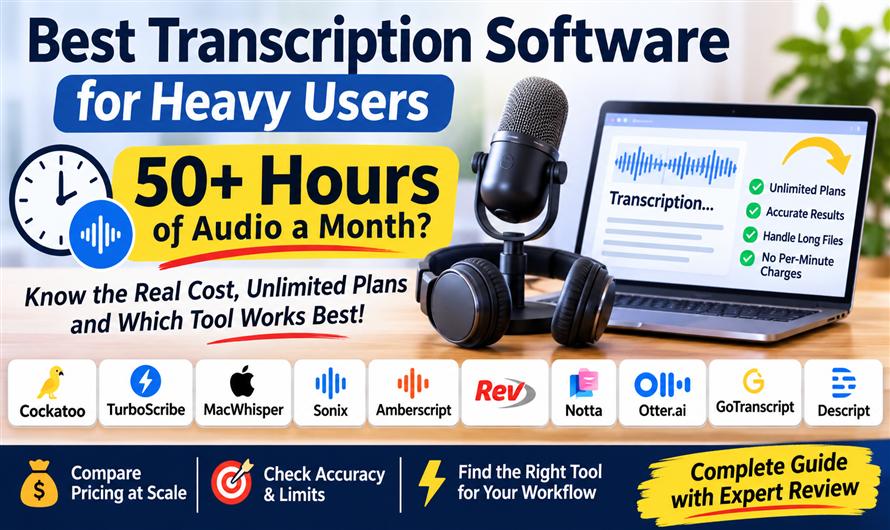
Fifty hours of audio a month exposes every hidden cap. Here's what each transcription tool actually costs at volume — and which plans hold up.
The best transcription software for heavy use depends on whether you need a flat-fee cloud upload tool, a one-time offline license, or human verification for high-stakes work. What all heavy users share is a need to avoid per-minute or per-hour billing that compounds as volume grows. This guide compares ten tools on exactly that basis: what 50-plus hours a month actually costs, where usage caps bite, and how accuracy, speed, and large-file handling hold up under real workloads.
AI transcription has matured to the point where word error rates on clean audio are competitive across the leading cloud tools. The bigger differentiators are pricing structure and workflow fit. Per-minute billing at volume can easily cost more in a single month than a flat annual subscription. Credit-based plans behave the same way. If you have a backlog of recordings to clear, the math of your pricing model matters as much as the model doing the transcribing.
The ten tools below cover the main categories: flat-fee cloud upload, offline local processing, per-hour and per-minute billing, meeting assistants, and human transcription services. Each is evaluated on the same seven criteria, weighted by how much they affect a heavy-use workflow.
Key takeaways
- Flat-fee and one-time-license tools are the only ones that don't get more expensive the more you transcribe — per-minute and credit-based plans compound fast at heavy volume.
- "Unlimited" means different things on different platforms: some cap files per upload, some cap total hours, some restrict long files to paid tiers only.
- AI transcription accuracy varies meaningfully across languages; published benchmarks and independent tests give the clearest signal, but conditions matter.
- Meeting-oriented tools (Otter, Notta) carry minute caps that make them a poor fit for clearing file backlogs, even on paid plans.
- The right tool depends on your workflow: local vs. cloud, file upload vs. live capture, solo use vs. team admin — there's no single winner for every situation.
How we compared them
Each tool is scored 1-5 on seven criteria weighted by their impact on heavy-use workflows: cost at high volume (weight 1.0) is the primary axis because per-minute pricing is the most common pain point, followed by usage caps (0.9) and accuracy (0.9), then ease of use (0.8), speed on long files (0.7), large-file handling (0.6), and batch/bulk export (0.5). Scores are drawn directly from each vendor's documented capabilities and published benchmarks where available; qualitative assessments follow the same 1-5 scale.
| Criterion (weight) | Cockatoo | TurboScribe | MacWhisper | Sonix | Amberscript | Rev | Notta | Otter | GoTranscript | Descript |
| Cost at heavy volume (1.0) | 5 | 5 | 5 | 2 | 3 | 2 | 3 | 3 | 1 | 2 |
| Usage caps (0.9) | 5 | 5 | 5 | 3 | 3 | 3 | 2 | 2 | 4 | 2 |
| Accuracy (0.9) | 4 | 4 | 3 | 4 | 3 | 4 | 3 | 3 | 4 | 3 |
| Ease of use (0.8) | 4 | 4 | 3 | 3 | 4 | 4 | 4 | 5 | 3 | 3 |
| Speed on long files (0.7) | 5 | 4 | 2 | 4 | 3 | 3 | 4 | 4 | 1 | 5 |
| Large-file handling (0.6) | 4 | 5 | 4 | 3 | 3 | 3 | 3 | 2 | 4 | 3 |
| Batch upload & bulk export (0.5) | 4 | 4 | 4 | 4 | 3 | 3 | 3 | 2 | 3 | 2 |
Best transcription software for heavy users who need unlimited plans, long files and backlog clearing without per-minute charges
1. Cockatoo
Cockatoo's unlimited transcription plans is an upload-focused transcription tool built around a flat monthly price rather than per-minute or per-hour billing. The Pro plan costs $29.99 USD/mo and places no monthly hour cap on its default transcription modes, which means a month with 200 hours of audio costs the same as a month with five. That structure is unusual even among tools that describe themselves as unlimited, and it's the central reason heavy users find the economics work at scale, individual users have reportedly transcribed over one million hours on a single Pro plan.
Processing speed is a practical differentiator for backlog work. The fastest mode runs at roughly 120x real time, which translates to about 30 seconds of processing for an hour-long recording. Combined with batch uploads of up to 20 files at a time, bulk export, and 2TB of storage, the tool is designed for clearing large archives rather than just handling one-off files. Video files have their audio extracted automatically, with no transcoding step, and the transcript can be exported as an SRT subtitle file alongside docx, pdf and txt.
Accuracy claims are backed by a benchmark page (updated October 27, 2026) reporting the lowest word error rate in 25 of 36 languages, ties included, on the public FLEURS benchmark and on an internal human-labeled set of real-world recordings, compared against Whisper, Deepgram, and AssemblyAI. Those figures apply to the highest-accuracy mode, which runs on a weekly usage allowance rather than the unlimited default modes; users who need top accuracy on every file will want to understand that distinction. Support is handled by humans Monday through Friday, with replies within half a business day.
Pros: No monthly hour cap on default modes, so heavy months cost the same as light ones; fast enough to process an hour of audio in roughly 30 seconds; batch upload, bulk export, and 2TB of storage suit large archive work.
Cons: No native integrations or public API yet, so automated pipelines require manual upload and export steps; the highest-accuracy mode operates on a weekly allowance rather than being unlimited.
Best for: Researchers, journalists, and content teams with large audio backlogs who need predictable monthly costs regardless of how much they transcribe.
2. TurboScribe
TurboScribe offers a flat-fee unlimited paid plan aimed at individuals who need to process a lot of audio without watching a meter tick. It's popular with podcasters working through back catalogs, partly because of its support for long files and its clean handling of speaker labels. The upload interface is straightforward, and multi-format export covers the main use cases without requiring extra configuration.
The free tier limits file length, so anyone with recordings longer than a few minutes will hit the wall quickly and need the paid plan. That's a reasonable way to gate the service, though it does mean free evaluation is limited for the target audience of this guide. Live meeting capture and AI-generated summaries are absent; TurboScribe is an upload-and-transcribe tool, which keeps it focused but narrows its use to file-based workflows.
Pros: Flat-fee unlimited paid plan keeps costs predictable at volume; handles long files without splitting them; clean speaker labels and export in multiple formats.
Cons: Free tier is restricted to short files, making it hard to evaluate on real-world recordings without committing to a paid plan; no live meeting capture or summary features.
Best for: Podcasters and solo creators who need unlimited file transcription at a fixed monthly cost and don't require meeting integration.
3. MacWhisper
MacWhisper takes a fundamentally different approach: transcription runs entirely on-device, with a one-time license rather than a subscription. Once purchased, there are no usage fees, no per-minute charges, and no monthly caps, because nothing leaves your machine. For anyone with privacy concerns about cloud processing, or for users in environments with unreliable internet, local processing is a meaningful practical advantage.
The trade-off is hardware dependency. Processing speed scales with the Mac's chip; on older hardware, an hour-long file can take considerably longer than a cloud tool would. Third-party tests have found accuracy trailing the leading cloud services, particularly on accented speech and noisier recordings. MacWhisper is also Mac and iOS only, which rules it out for Windows or cross-platform teams. For the right user, a Mac-native solo operator who transcribes steadily and values offline permanence, the one-time cost structure is genuinely compelling over a multi-year horizon.
Pros: One-time purchase instead of a recurring subscription; fully offline with no data leaving the device; no usage caps because all processing is local.
Cons: Mac and iOS only, with no Windows or web option; processing speed depends on local hardware and can be slow on older machines; accuracy trailed cloud tools in third-party tests.
Best for: Mac users who prioritize data privacy, work in offline environments, or want to avoid subscription costs over the long term.
4. Sonix
Sonix has been in the file transcription market for several years and shows it in its feature depth: broad language support, word-level timestamps, and export formats designed to work with video editing tools. It offers both pay-per-hour and subscription options, with the subscription tier still carrying hourly usage charges on top of the base fee. For multilingual projects or workflows that feed directly into editing software, that feature set is genuinely useful.
The cost structure is where Sonix becomes difficult for heavy users. Per-hour billing compounds quickly once monthly volume climbs past a few dozen hours, and the subscription plan adjusts the per-hour rate without eliminating usage costs. File length caps on uploads add another friction point for multi-hour recordings. The interface has accumulated features over the years without a full visual refresh, which can slow down new users during onboarding.
Pros: Strong multilingual coverage across a wide language list; word-level timestamps and export formats suited to editing tools; batch analysis features for larger projects.
Cons: Per-hour billing becomes expensive at heavy volume even on subscription; file length cap restricts very long uploads; interface feels dated compared with newer tools.
Best for: Multilingual production teams or editors who need tight tool integration and can keep monthly volume moderate enough that per-hour charges stay manageable.
5. Amberscript
Amberscript positions itself toward organizations that need both AI speed and human accuracy as options, with admin tooling for managing multiple users. Its credit-based pricing model lets teams buy in advance and distribute usage, and an optional human transcription tier covers recordings where AI output needs to be publication-ready. The admin dashboard and language breadth make it a reasonable fit for operations teams running multilingual projects with mixed quality requirements.
Credit-based pricing has the same fundamental problem as per-minute billing for heavy users: more audio means more spend. There's no flat ceiling on costs, and the published automatic accuracy figure is described by the vendor itself as conservative. For an organization with predictable but moderate volume, the admin controls and human option may justify the model; for anyone processing 50-plus hours a month on AI alone, costs can climb.
Pros: AI and optional human transcription in a single platform; admin dashboard for team management and usage oversight; wide language list.
Cons: Credit-based pricing means heavy use keeps adding cost with no ceiling; the vendor's published automatic accuracy figure is conservative by its own description.
Best for: Organizations that need both AI and human transcription options under one admin roof, with moderate and predictable monthly volume.
6. Rev
Rev combines AI and human transcription in a single platform, which is its clearest differentiator. When a transcript needs to be right, legal proceedings, broadcast captions, compliance documentation, the human-verified tier adds a layer of review that pure AI tools can't match. A mature API means Rev integrates into existing workflows more readily than many of the tools in this list, and the platform handles both options under one account.
The pricing model is per-minute, which makes Rev expensive at volume. Human transcription is also primarily focused on English, and turnaround on human work is measured in hours rather than seconds. For teams that only occasionally need the human tier and use AI for the bulk of their volume, the per-minute costs may be acceptable. For anyone transcribing 50-plus hours a month on AI alone, the math is harder to justify against flat-fee alternatives.
Pros: Human-verified transcription for high-stakes work where accuracy is non-negotiable; AI and human options managed in one account; mature API for workflow integration.
Cons: Per-minute pricing adds up quickly at heavy volume; human transcription is primarily English-focused and significantly slower than AI processing.
Best for: Legal, compliance, or broadcast teams that need occasional human verification and can absorb per-minute costs for work where accuracy risk is high.
7. Notta
Notta is built primarily around live meeting capture: it joins calls, transcribes in real time, and translates across a wide range of languages, with apps on web, mobile, and Chrome. For teams whose transcription need is mostly meetings rather than archived recordings, the cross-device availability and real-time translation are practical advantages.
Monthly minute caps on paid plans are the limiting factor for heavy file-based use. Notta's design centers on the meeting workflow, and that shapes both its strengths and its constraints. Large pre-recorded files and backlog clearing are not the scenarios it's optimized for. If your volume is primarily live meetings at moderate frequency, the tool fits; if you're uploading hours of pre-recorded audio each month, the caps will become a friction point.
Pros: Live and upload transcription in one app; real-time translation across many languages; available on web, mobile, and Chrome.
Cons: Monthly minute caps on paid plans limit heavy upload use; designed around meetings rather than large file archives or backlogs.
Best for: Remote teams that need live meeting transcription with translation across devices, with moderate rather than heavy file upload volume.
8. Otter
Otter is the most polished live meeting assistant in this group. It joins calls automatically, generates summaries with action items, and maintains a searchable history that makes it easy to find what was said across dozens of meetings. For someone whose primary transcription need is the daily meeting stack, it's the easiest tool to start using, with no configuration required.
For file-based heavy use, it's the wrong tool. Monthly minute and import limits on paid plans are real constraints, and large pre-recorded uploads are not what the product is designed for. Third-party accuracy tests have found word error rates rising on accented or noisy audio. The meeting-first design means features that matter for backlog work, batch upload, bulk export, large-file handling, are either limited or absent.
Pros: Excellent live meeting capture with automatic joining; summaries and action items without manual effort; among the easiest onboarding of any tool here.
Cons: Monthly minute and import limits make it a poor fit for large file backlogs; accuracy drops on accented or noisy audio in third-party tests.
Best for: Knowledge workers whose transcription need is primarily live meetings and who want summaries and searchable history without technical setup.
9. GoTranscript
GoTranscript is a human transcription service: real people transcribe the audio, and the vendor promises 99% accuracy on that human-produced work. There are no subscriptions required, pricing is pay-as-you-go by the minute, which suits organizations that need occasional high-accuracy transcripts without committing to a recurring plan. Language coverage is wide because human transcribers work across many languages.
For heavy volume, GoTranscript is the most expensive option in this comparison. Human transcription takes hours, not seconds, and per-minute human rates applied to 50-plus hours of audio a month will produce a significant invoice. It's the right tool for specific, high-stakes jobs where AI accuracy isn't sufficient, not for routine high-volume processing.
Pros: Human-produced transcripts for difficult audio where AI falls short; pay-as-you-go with no subscription commitment; wide language coverage through human transcribers.
Cons: Per-minute human rates make it costly at any significant volume; turnaround is measured in hours, not seconds or minutes.
Best for: Organizations with occasional difficult recordings, heavy accents, low audio quality, specialized terminology, where human accuracy justifies the cost and turnaround time.
10. Descript
Descript is primarily a media editor where the transcript doubles as the editing surface: cut words from the text and you cut them from the audio. Transcription is fast, genuinely fast, and the tool includes creator-specific features like filler-word removal. For video and podcast producers who edit and transcribe in the same session, the unified workflow saves meaningful time.
For users who only need transcripts, Descript is more tool than necessary. Metered transcription hours mean costs grow with volume, and the editing-centric interface adds complexity that plain transcription workflows don't need. It's not designed for bulk upload and export of large archives; those workflows don't fit naturally into an editor-first product.
Pros: Edit audio and video by editing the transcript text, a genuinely different workflow for producers; very fast transcription; filler-word removal and creator-focused tools included.
Cons: Metered transcription hours make heavy use expensive; the editing-focused design is overkill for users who only need transcript output.
Best for: Podcast and video producers who edit and transcribe in the same session and want a unified creative tool rather than a standalone transcription service.
What "Unlimited" Actually Means in Transcription Software
Several tools in this category use "unlimited" in their marketing, but the term covers a range of realities. Some plans cap total monthly hours. Others allow unlimited files but restrict file length, so long recordings must be split before upload. Some reserve the highest-accuracy processing mode for a weekly or monthly allowance while keeping faster modes unlimited. A few tie unlimited usage to a fair-use policy that isn't published in full.
Before committing to any plan on the basis of an unlimited claim, check three things: whether there's a monthly hour or minute ceiling, whether per-file length limits apply to your typical recordings, and whether the mode you actually want to use (highest accuracy, speaker diarization, etc.) carries its own cap. The difference between "unlimited uploads" and "unlimited processing hours" is significant for heavy users.
AI vs. Human Transcription - Choosing the Right Tier
AI transcription has closed the gap with human transcription on clean audio, conversational speech in a quiet environment, recorded with a decent microphone, in a major language. On those conditions, word error rates from leading cloud tools are low enough for most professional use. The gap reopens on difficult audio: heavy background noise, strong accents, overlapping speakers, low bitrate recordings, or highly technical vocabulary that the model hasn't been trained on.
Human transcription is slower (hours vs. seconds) and more expensive (per-minute rates applied to long files add up fast), but it's the appropriate choice when the transcript will be published, used in legal or compliance contexts, or produced from audio that AI consistently mishandles. Many teams use both: AI for routine volume, human review for specific high-stakes files. Tools like Rev and GoTranscript offer both under one account; others specialize in one or the other.
Pricing Structures Compared - Flat Fee, Per-Minute, and Credits
Three pricing models dominate this market, and they behave very differently at volume.
Flat-fee subscriptions charge the same amount regardless of how much you transcribe (subject to any caps). At high volume, they're almost always cheaper than metered plans. The risk is paying for capacity you don't use in light months.
Per-minute or per-hour billing scales directly with usage. It's cost-efficient at low volume but expensive at heavy use. At 50 hours a month, even a modest per-hour rate produces a large monthly bill.
Credit-based plans function like per-use billing prepaid in advance. They offer some budget predictability but no ceiling. Running out of credits means buying more, and there's no flat rate that holds regardless of volume.
One-time licenses (like MacWhisper's) eliminate recurring costs entirely. The trade-off is that there's no cloud infrastructure, so processing speed and accuracy depend on local hardware, and updates may carry additional costs.
Real-Time Meeting Capture vs. File Upload - Different Tools for Different Jobs
The transcription software market splits into two broad categories that serve different workflows. Meeting assistants (Otter, Notta) join live calls, capture audio in real time, and generate summaries, the value is in the live pipeline and the structured output, not raw transcript volume. File upload tools (Cockatoo, TurboScribe, Sonix, MacWhisper) take pre-recorded audio and return a transcript, with no live component.
Heavy users who process archival recordings, interview audio, or long-form content are almost always better served by upload tools. Meeting assistants carry minute caps tuned to meeting frequency, not backlog clearing. Upload tools carry caps (or no caps) tuned to file volume. Using a meeting assistant for file backlog work is a common mismatch, the tool's pricing and limits assume you're transcribing what you record live, not catching up on a library of pre-existing audio.
Accuracy - How to Read Benchmarks and What They Miss
Published word error rate benchmarks, including those from tool vendors and independent researchers, typically measure performance on clean, well-recorded audio in controlled conditions. Real-world recordings rarely match those conditions: microphone quality varies, background noise intrudes, speakers talk over each other, and accented speech can trip up models trained primarily on standard accents.
When evaluating accuracy claims, look for benchmarks run on real-world recordings rather than studio audio, and check whether the benchmark covers the languages you actually need. A tool that tops an English-only benchmark may underperform on the accented English or non-English audio in your library. Speaker diarization accuracy, correctly attributing speech to specific speakers, is a separate dimension from word accuracy and is not always reported alongside word error rates. If speaker labels matter for your workflow, test them specifically on representative audio.
How to Choose - A Framework for Heavy Users
Start with pricing structure. If you consistently process more than 20 hours a month, per-minute and credit-based plans almost always cost more than a flat-fee subscription at the same usage level. Run the math at your actual volume before comparing features.
Next, check for the caps that apply to your specific workflow: total monthly hours, per-file length, and whether the accuracy mode you want is separately limited. A tool can be unlimited in one dimension and tightly capped in another.
Then consider integration needs. If you need to pipe transcripts into a CMS, database, or editing tool automatically, an API or native integration is necessary; manual export and re-upload doesn't scale. Finally, assess language requirements: accuracy varies meaningfully across languages, and tools that perform well in English may not perform equally in other languages you need. Test on your own representative audio before committing to an annual plan.
Multilingual Transcription - What to Check Before You Commit
Most AI transcription tools publish a language count, but language counts don't tell the full story. Word error rates vary considerably between high-resource languages (English, Spanish, Mandarin) and lower-resource ones, and the difference can be large enough to make a tool that seems accurate in English unreliable in another language you need.
For multilingual workflows, look for tools that publish per-language accuracy data rather than a single aggregate figure, and check whether speaker diarization and word-level timestamps work in your target languages, some features are English-only even on tools with broad language support. If your audio spans multiple languages in a single recording, check whether the tool handles language switching or requires you to specify the language in advance.
Next steps
The right choice depends almost entirely on workflow type and volume. For heavy file-based workloads, large backlogs, long recordings, predictable monthly costs, flat-fee tools with no hour cap make the most financial sense: Cockatoo suits cloud-first users who need fast processing and bulk export, while TurboScribe is a simpler alternative for individuals with straightforward upload needs. MacWhisper is the outlier: its one-time license beats any subscription on cost over a multi-year horizon, but only if you're on a Mac and can accept hardware-limited processing speed.
For multilingual production work with moderate volume, Sonix and Amberscript offer feature depth that justifies their metered pricing, provided monthly hours stay manageable. When human verification is non-negotiable for a subset of recordings, Rev and GoTranscript cover that need; both become expensive if human transcription is the primary workflow rather than the exception.
Meeting-first tools, Otter and Notta, serve their target use case well, but that use case is live meetings at conversational frequency, not archive clearing. Descript belongs in a creator's toolkit when editing and transcribing are the same job; it's the wrong fit when the transcript is the end product.
Match the tool to the volume and structure of your actual audio workload. The cheapest tool at light volume is often the most expensive one at heavy use, and the reverse is equally true.


Leave a Comment