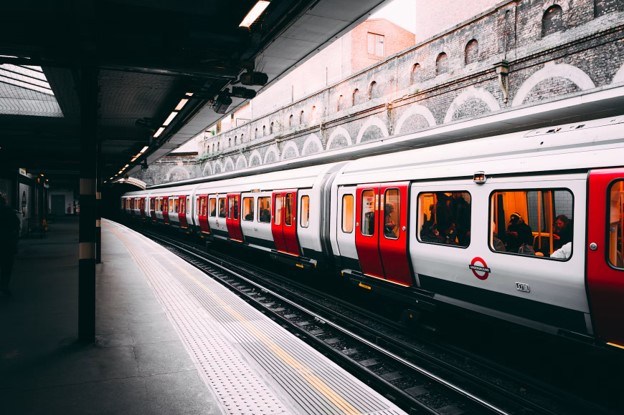
Remote developers often treat travel time as spare work time, but urban transit rarely behaves like a quiet office. Crowded platforms, weak signals and heavy bags can turn a simple trip between a hotel and coworking space into a stressful part of the day.
A dependable transit routine accounts for those conditions before the calendar fills up. The best routine protects focused work, reduces physical clutter and keeps devices ready for the moments when you actually need them. It also leaves enough flexibility for delays, station changes and unfamiliar streets.
The Friction of Mid-Transit Workdays
Hybrid schedules have changed when and why people travel. As this overview of remote work and commutes explains, fewer workers follow the same fixed rush-hour pattern every weekday. A developer might travel to a client office at noon, take a video call from a coworking space at 3 p.m. and board an evening train after pushing a final code update.
That flexibility can hide a costly problem: transit time is fragmented. A 40-minute train ride may appear useful on paper, yet boarding, finding a seat and watching for the correct stop consume attention. Network interruptions can break development environments or prevent access to cloud services. Even a minor delay becomes disruptive when a meeting starts five minutes after arrival.
Treat transit as a low-focus period. Reserve it for tasks that tolerate interruption, such as reviewing local documentation, organizing a backlog or drafting notes offline. Save production deployments, detailed code reviews and sensitive account work for a stable location.
Build 20 to 30 minutes of arrival time into any trip that ends with a scheduled call. This buffer covers station exits, building access and the search for a workable desk. Better urban planning and transit can improve access across a city, but your schedule still needs room for everyday variation. A buffer keeps one late connection from controlling the rest of the workday.
Unburdening Yourself Before Meetings
A laptop bag feels manageable at the start of a trip. Add a suitcase, charging cables and a jacket, then try to enter a small cafe or shared office during a busy period. The extra load slows every transition and makes it harder to settle into a professional meeting.
Decide in advance what needs to reach the desk. For most developers, that means a laptop, compact charger, phone, headphones and one backup connection option. Clothing and other travel items can remain elsewhere. If you're passing through central Helsinki between a train and a meeting, a train station luggage storage is one practical option for travelers who need short-term storage near the station, with rates starting from €3.90 and free cancellation.
Storage is most useful when the gap between arrival and check-in lasts several hours or when a meeting venue has limited room. Check opening hours, the distance from your platform and collection time before booking. A location that adds a 25-minute detour may create more friction than it removes.
Pack a separate work pouch so you don't have to open your main suitcase in public. Keep your charger, adapter, mouse and headphones together. Before handing over stored luggage, confirm that your identification, medication and any device needed for work remain with you. This simple division lets you walk into a meeting carrying one organized bag instead of managing your full travel load.
Securing Hardware in High-Traffic Hubs
Stations and transit terminals demand more attention than a private workspace. People move close to one another, announcements interrupt concentration and seats may provide little room for an open laptop. Your hardware routine should reflect that environment.
Keep devices within physical reach. Place a backpack between your feet or on your lap instead of on an adjacent seat. Close your laptop before boarding, leaving a table or moving through a ticket barrier. A bright luggage tag can help you identify a bag quickly, but it shouldn't display a home address or company details.
Screen privacy matters as well. Lower the display angle when working near other passengers and avoid opening customer records, access credentials or confidential messages in a crowded carriage. The CISA travel guidance recommends taking precautions before and during a trip, including limiting automatic connections and maintaining control of devices. Use a privacy screen if transit work is frequent, then enable automatic locking after a short period of inactivity.
Public charging ports and unfamiliar networks deserve caution. Carry your own wall adapter and cable, and rely on your phone hotspot when the mobile connection is adequate. If public Wi-Fi is unavoidable, verify the network name with station or venue staff. Disable file sharing and avoid administrative work until you reach a trusted connection.
Prepare for loss before leaving home. Turn on device tracking, encrypt the drive and keep recovery codes somewhere separate from the laptop. Those measures won't prevent a misplaced bag, but they can limit the damage and shorten recovery time.
Image Credit: Unsplash
Optimizing Battery and Connection Time
Battery planning should begin before you enter the station. Charge every device overnight and check battery health if your laptop drains unusually fast. A machine that lasts six hours during light browsing may run for far less time when compiling code, hosting a local development server and joining a video call.
Use transit time in stages. During the first few minutes, confirm your route and send any arrival update. Then switch the phone to a lower-power setting and work from files stored locally. Pause automatic photo uploads, operating system updates and large repository syncs until you find stable power and Wi-Fi. These background tasks consume both battery capacity and mobile data without helping the immediate assignment.
Download essential materials before departure. Save tickets, venue addresses, repository documentation and meeting notes for offline access. Pull the branch you expect to review and install required packages while you're still on a trusted network. If a connection drops underground, you can continue reading code or drafting changes without waiting for service to return.
Carry a power bank suited to your phone and smaller accessories, plus a compact charger that can handle the laptop's required wattage. Label the cables and test the full setup at home. A cable that charges a phone may fail to provide enough power for a computer under load.
Connection planning also needs a fallback. Check your mobile data allowance before international travel and confirm that tethering is included. The FCC wireless connection advice offers useful background on safer network practices. For critical calls, identify a coworking space, library or quiet hotel work area near the destination instead of assuming a station bench will work.
Set a personal cutoff for mobile work. Ten minutes before your stop, save files, sync only what matters and pack each device into its assigned pocket. You should step onto the platform knowing where your laptop, phone and charging cable are. That small closing ritual prevents the most avoidable transit problem: leaving something behind while rushing to the next appointment.


Leave a Comment