What is a SQL JOIN?
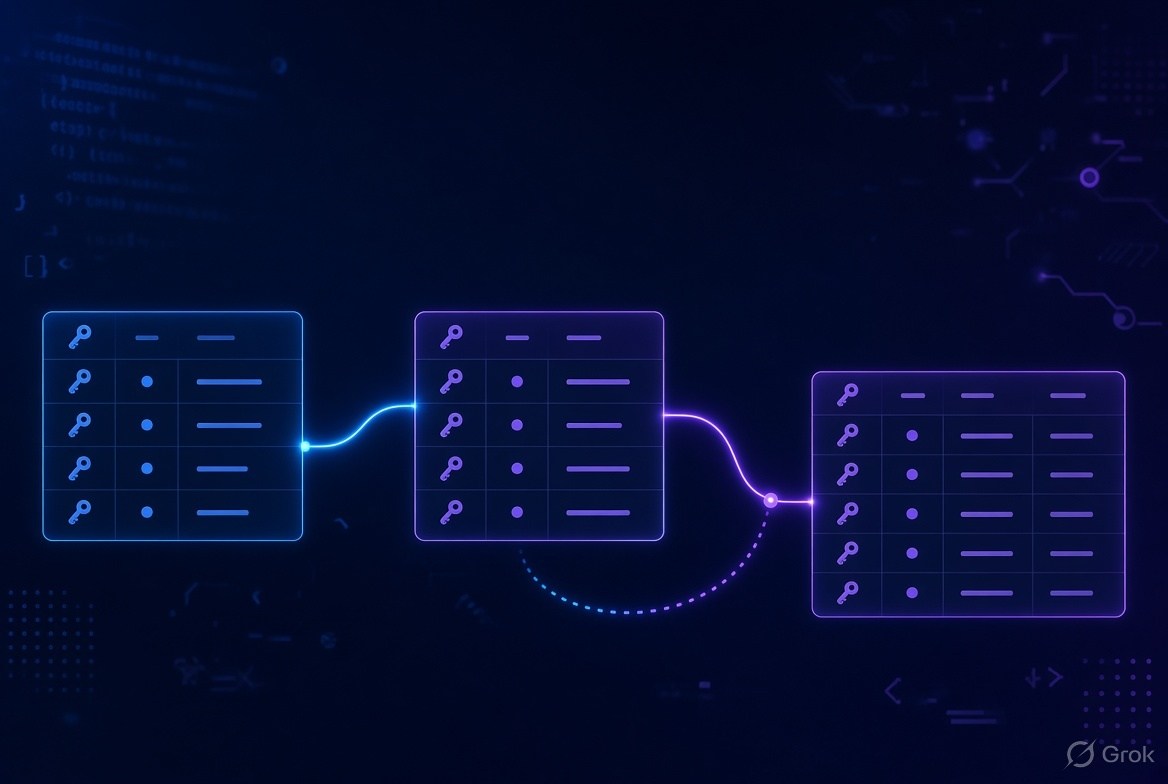
A JOIN is used in SQL to combine rows from different tables based on a related column.
Think of it like connecting two puzzle pieces.
Suppose we have a customers table:
| customer_id | name |
|---|---|
| 1 | Rahul |
| 2 | Priya |
| 3 | Amit |
And an orders table:
| order_id | customer_id | amount |
|---|---|---|
| 101 | 1 | 500 |
| 102 | 2 | 800 |
| 103 | 1 | 300 |
Notice that both tables have a customer_id column.
This common column allows us to connect the two tables.
For example:
SELECT customers.name, orders.amount
FROM customers
JOIN orders
ON customers.customer_id = orders.customer_id;
The result would look something like this:
| name | amount |
|---|---|
| Rahul | 500 |
| Priya | 800 |
| Rahul | 300 |
SQL matched the customer_id from both tables and combined the relevant information.

Why Do We Need JOINs?
You might wonder: "Why not just keep everything in one table?"
Well, databases are generally designed by dividing information into separate, related tables.
For example:
customers→ stores customer informationorders→ stores order informationproducts→ stores product informationemployees→ stores employee information
Keeping data separated helps reduce duplication and makes the database easier to maintain.
JOINs allow us to bring that information together when we actually need it.
Types of SQL JOINs
There are several commonly used types of JOINs:
- INNER JOIN
- LEFT JOIN
- RIGHT JOIN
- FULL OUTER JOIN
- CROSS JOIN
- SELF JOIN
Let's understand each one with simple examples.
1. INNER JOIN
An INNER JOIN returns only the rows that have matching values in both tables.
Imagine we have these two tables.
Customers
| customer_id | name |
|---|---|
| 1 | Rahul |
| 2 | Priya |
| 3 | Amit |
Orders
| order_id | customer_id | amount |
|---|---|---|
| 101 | 1 | 500 |
| 102 | 2 | 800 |
| 103 | 1 | 300 |
| 104 | 5 | 1000 |
Customer IDs 1 and 2 exist in both tables.
Customer ID 5, however, doesn't exist in the customers table.
So:
SELECT customers.name, orders.amount
FROM customers
INNER JOIN orders
ON customers.customer_id = orders.customer_id;
Result:
| name | amount |
|---|---|
| Rahul | 500 |
| Priya | 800 |
| Rahul | 300 |
The order belonging to customer 5 is not included because there is no matching customer.
In simple words:
INNER JOIN = Give me only the matching data from both tables.
This is probably the most commonly used JOIN in everyday SQL queries.
2. LEFT JOIN
A LEFT JOIN returns all rows from the left table, even if there is no matching row in the right table.
Let's use the same tables.
SELECT customers.name, orders.amount
FROM customers
LEFT JOIN orders
ON customers.customer_id = orders.customer_id;
The result would be:
| name | amount |
|---|---|
| Rahul | 500 |
| Rahul | 300 |
| Priya | 800 |
| Amit | NULL |
Why is Amit included?
Because customers is the left table, and a LEFT JOIN keeps every customer.
Amit doesn't have an order, so SQL puts NULL in the amount column.
In simple words:
LEFT JOIN = Give me everything from the left table and matching data from the right table.
This is very useful when you want to find records that don't have a match.
For example:
"Show me all customers, including customers who haven't placed an order."
3. RIGHT JOIN
A RIGHT JOIN is basically the opposite of a LEFT JOIN.
It returns all rows from the right table, along with matching rows from the left table.
For example:
SELECT customers.name, orders.amount
FROM customers
RIGHT JOIN orders
ON customers.customer_id = orders.customer_id;
This keeps every order, even if there isn't a matching customer.
For our example, the order with customer_id = 5 would still appear.
The result might look like:
| name | amount |
|---|---|
| Rahul | 500 |
| Priya | 800 |
| Rahul | 300 |
| NULL | 1000 |
In simple words:
RIGHT JOIN = Give me everything from the right table and matching data from the left table.
In practice, many developers prefer using LEFT JOIN and simply changing the order of the tables because it can make queries easier to read.
4. FULL OUTER JOIN
A FULL OUTER JOIN returns:
- Matching rows from both tables
- Unmatched rows from the left table
- Unmatched rows from the right table
You can think of it as:
"I want everything from both tables."
For example:
SELECT customers.name, orders.amount
FROM customers
FULL OUTER JOIN orders
ON customers.customer_id = orders.customer_id;
The result could contain:
| name | amount |
|---|---|
| Rahul | 500 |
| Priya | 800 |
| Rahul | 300 |
| Amit | NULL |
| NULL | 1000 |
Here:
- Amit exists in
customersbut has no order. - The order worth
1000exists inordersbut has no matching customer.
In simple words:
FULL OUTER JOIN = Give me everything from both tables, whether they match or not.
One important point: MySQL does not support FULL OUTER JOIN directly, so you generally need to achieve the same result using techniques such as
UNION.
5. CROSS JOIN
A CROSS JOIN is different from the JOINs we've discussed so far.
It creates every possible combination of rows between two tables.
Suppose we have:
Colors
| color |
|---|
| Red |
| Blue |
Sizes
| size |
|---|
| Small |
| Large |
A CROSS JOIN:
SELECT colors.color, sizes.size
FROM colors
CROSS JOIN sizes;
Produces:
| color | size |
|---|---|
| Red | Small |
| Red | Large |
| Blue | Small |
| Blue | Large |
Every color is combined with every size.
If the first table has 2 rows and the second table has 2 rows, you get:
2 × 2 = 4 rows
If you have 100 rows in each table, you could get:
100 × 100 = 10,000 rows
So CROSS JOINs should be used carefully.
In simple words:
CROSS JOIN = Combine every row from the first table with every row from the second table.
6. SELF JOIN
A SELF JOIN is when a table is joined with itself.
That might sound strange at first, but it is actually quite useful.
Imagine an employees table:
| employee_id | employee_name | manager_id |
|---|---|---|
| 1 | Raj | NULL |
| 2 | Priya | 1 |
| 3 | Amit | 1 |
| 4 | Neha | 2 |
Here, manager_id refers to another employee in the same table.
We can use a SELF JOIN to find each employee's manager:
SELECT
    e.employee_name AS employee,
    m.employee_name AS manager
FROM employees e
LEFT JOIN employees m
ON e.manager_id = m.employee_id;
Result:
| employee | manager |
|---|---|
| Raj | NULL |
| Priya | Raj |
| Amit | Raj |
| Neha | Priya |
Notice that we're using the employees table twice.
We give the table two different aliases:
e→ employeem→ manager
In simple words:
SELF JOIN = Join a table with itself.
It is particularly useful for hierarchical data such as:
- Employees and managers
- Categories and parent categories
- Organizational structures
- Family relationships
JOIN vs WHERE
One common question beginners have is:
"Can't I just use WHERE instead of JOIN?"
You can sometimes get similar-looking results with older SQL styles, but using explicit JOIN syntax is generally clearer and easier to maintain.
For example:
SELECT c.name, o.amount
FROM customers c
JOIN orders o
ON c.customer_id = o.customer_id;
The ON condition explains how the tables are related.
Then you can use WHERE to filter the result:
SELECT c.name, o.amount
FROM customers c
JOIN orders o
ON c.customer_id = o.customer_id
WHERE o.amount > 500;
Here:
ON→ tells SQL how to connect the tablesWHERE→ tells SQL which results you actually want
That's a useful distinction to remember.
Understanding Table Aliases
When queries involve multiple tables, writing the full table names repeatedly can make the query difficult to read.
Instead, we can use aliases.
For example:
SELECT c.name, o.amount
FROM customers AS c
JOIN orders AS o
ON c.customer_id = o.customer_id;
Here:
crepresentscustomersorepresentsorders
This is especially useful when working with several tables.
For example:
SELECT
    c.name,
    o.order_id,
    p.product_name
FROM customers c
JOIN orders o
    ON c.customer_id = o.customer_id
JOIN products p
    ON o.product_id = p.product_id;
Without aliases, the same query can become much harder to read.
What Happens When There Are Multiple Matching Rows?
This is an important concept that sometimes surprises beginners.
Suppose Rahul has three orders.
If you join customers with orders, Rahul will appear
three times.
That's not a mistake.
SQL is showing one result row for each matching combination.
For example:
| customer | order |
|---|---|
| Rahul | 101 |
| Rahul | 102 |
| Rahul | 103 |
This is exactly what a JOIN is supposed to do.
Understanding this will save you from a lot of confusion when working with real databases.
Joining More Than Two Tables
You are not limited to joining just two tables.
You can join three, four, or even more tables.
For example, imagine:
customersordersproducts
You could write:
SELECT
    c.name,
    o.order_id,
    p.product_name
FROM customers c
JOIN orders o
    ON c.customer_id = o.customer_id
JOIN products p
    ON o.product_id = p.product_id;
SQL first connects the customers with their orders and then connects those orders with products.
This is very common in real-world applications.
Common Mistakes Beginners Make
1. Forgetting the ON condition
A JOIN usually needs a condition explaining how two tables are related.
For example:
JOIN orders
ON customers.customer_id = orders.customer_id
Without a proper condition, you may accidentally create a huge number of rows.
2. Using the Wrong JOIN
Choosing between INNER JOIN and LEFT JOIN can completely change your result.
Ask yourself:
"Do I want only matching records, or do I want all records from one table?"
If you want only matches, use an INNER JOIN.
If you want everything from one particular table, consider a LEFT JOIN.
3. Forgetting NULL values
When using LEFT, RIGHT, or FULL OUTER JOINs, some columns may contain NULL.
For example:
Amit | NULL
This doesn't necessarily mean there is an error.
It usually means SQL couldn't find a matching row.
4. Getting duplicate-looking rows
As we saw earlier, one customer can have multiple orders.
So the customer may appear multiple times.
If you only want unique values, you might need:
SELECT DISTINCT c.name
FROM customers c
JOIN orders o
ON c.customer_id = o.customer_id;
But don't blindly use DISTINCT just to hide duplicates. First understand
why the duplicates are being produced.
A Simple Way to Remember SQL JOINs
Here's an easy mental model:
| JOIN | What it gives you |
|---|---|
| INNER JOIN | Matching rows from both tables |
| LEFT JOIN | Everything from the left + matches from the right |
| RIGHT JOIN | Everything from the right + matches from the left |
| FULL OUTER JOIN | Everything from both tables |
| CROSS JOIN | Every possible combination |
| SELF JOIN | A table joined with itself |
You can also visualize the first four like this:
INNER JOIN
Only the overlap

LEFT JOIN
Everything on the left + overlap

RIGHT JOIN
Everything on the right + overlap

FULL OUTER JOIN
Everything from both sides
Real-World Example
Let's say you're building an online shopping application.
You have three tables:
Customers
customer_id
name
email
Orders
order_id
customer_id
product_id
order_date
Products
product_id
product_name
price
Now suppose you want to display:
Customer name + product name + order date.
You can combine all three tables:
SELECT
    c.name,
    p.product_name,
    o.order_date
FROM customers c
JOIN orders o
    ON c.customer_id = o.customer_id
JOIN products p
    ON o.product_id = p.product_id;
This is where JOINs become really powerful.
Instead of storing the customer's name and product name repeatedly inside every order record, the database can keep the information organized in separate tables and connect it when needed.
Final Thoughts
SQL JOINs might feel confusing when you first encounter them. The syntax can look intimidating, especially when multiple tables are involved.
But the basic idea is actually quite simple:
JOINs connect related data.
Whenever you see two tables that share a related column, you can usually think:
"How can I connect these two pieces of information?"
Start by mastering INNER JOIN and LEFT JOIN. Once those become comfortable, RIGHT JOIN, FULL OUTER JOIN, CROSS JOIN, and SELF JOIN will make much more sense.


Leave a Comment