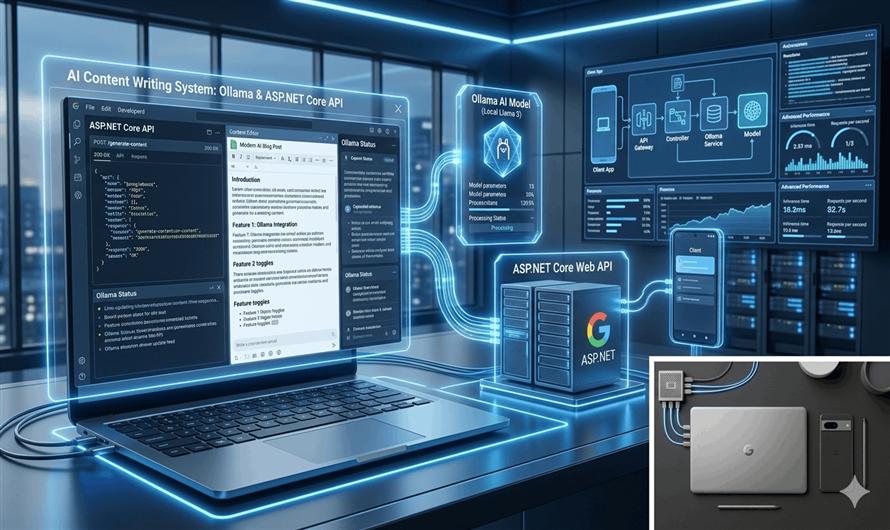
Artificial Intelligence is rapidly transforming how developers build content generation platforms. With tools like Ollama, you can run powerful AI models locally and convert a normal public API into a smart AI-powered content writing service.
In this blog, we’ll learn how to:
- Install Ollama
- Run AI models locally
- Create an ASP.NET Core API
- Connect your API with Ollama
- Generate blog posts and content dynamically
By the end, you'll have your own AI content-writing API running locally.
What is Ollama?
Ollama is a lightweight tool that allows developers to run Large Language Models (LLMs) locally on their machines.
It supports popular models like:
- Llama 3
- Mistral
- Gemma
- Phi
- CodeLlama
Unlike cloud AI services, Ollama works locally without requiring external API subscriptions.
Why Use Ollama for Content Writing APIs?
Using Ollama provides several advantages:
| Benefit | Description |
|---|---|
| Offline AI | No internet dependency |
| No API Cost | Free local execution |
| Privacy | Data stays on your machine |
| Fast Development | Easy REST API integration |
| Customization | Use different AI models |
Project Architecture
The workflow looks like this:
Client Request
      ↓
ASP.NET Core API
      ↓
Ollama Local API
      ↓
AI Model (Llama3/Mistral)
      ↓
Generated Content Response
Step 1: Install Ollama
Download and install Ollama from:
Verify installation:
ollama --versionStep 2: Pull an AI Model
Download a model for content generation.
Example:
ollama pull llama3You can also use:
mistralgemmaphi
Step 3: Run the Model
Start the AI model locally:
ollama run llama3Ollama automatically exposes a local API at:
http://localhost:11434Step 4: Create ASP.NET Core Web API
Create a new project:
dotnet new webapi -n AIContentWriterOpen the project in Visual Studio or Visual Studio Code.
Step 5: Create Request Model
ContentRequest.cs
namespace AIContentWriter.Models
{
    public class ContentRequest
    {
        public string Topic { get; set; }

        public string Tone { get; set; }

        public int WordCount { get; set; }
    }
}
Step 6: Create AI Service
OllamaService.cs
using System.Text;
using System.Text.Json;

namespace AIContentWriter.Services
{
    public class OllamaService
    {
        private readonly HttpClient _httpClient;

        public OllamaService(HttpClient httpClient)
        {
            _httpClient = httpClient;
        }

        public async Task<string> GenerateContentAsync(
            string topic,
            string tone,
            int wordCount)
        {
            var prompt =
                $"Write a {tone} blog on '{topic}' in {wordCount} words.";

            var requestBody = new
            {
                model = "llama3",
                prompt = prompt,
                stream = false
            };

            var json = JsonSerializer.Serialize(requestBody);

            var content = new StringContent(
                json,
                Encoding.UTF8,
                "application/json");

            var response = await _httpClient.PostAsync(
                "http://localhost:11434/api/generate",
                content);

            response.EnsureSuccessStatusCode();

            var result =
                await response.Content.ReadAsStringAsync();

            return result;
        }
    }
}
Step 7: Register HttpClient Service
Program.cs
builder.Services.AddHttpClient<OllamaService>();Step 8: Create API Controller
ContentController.cs
using AIContentWriter.Models;
using AIContentWriter.Services;
using Microsoft.AspNetCore.Mvc;

namespace AIContentWriter.Controllers
{
    [ApiController]
    [Route("api/[controller]")]
    public class ContentController : ControllerBase
    {
        private readonly OllamaService _ollamaService;

        public ContentController(
            OllamaService ollamaService)
        {
            _ollamaService = ollamaService;
        }

        [HttpPost("generate")]
        public async Task<IActionResult> Generate(
            ContentRequest request)
        {
            var result =
                await _ollamaService.GenerateContentAsync(
                    request.Topic,
                    request.Tone,
                    request.WordCount);

            return Ok(result);
        }
    }
}
Step 9: Test the API
Run the application:
dotnet runUse Postman or Swagger.
Request
{
  "topic": "Benefits of Clean Architecture",
  "tone": "professional",
  "wordCount": 500
}
Sample Response
{
  "response": "Clean Architecture helps developers build scalable..."
}
Improving the Content Quality
You can improve AI output by writing better prompts.
Example:
var prompt =
$"""
Write a detailed SEO-friendly blog article.

Topic: {topic}

Tone: {tone}

Requirements:
- Use headings
- Add introduction and conclusion
- Include practical examples
- Write approximately {wordCount} words
""";
Prompt engineering significantly improves content quality.
Add Common API Response Structure
You can combine Ollama with a standardized API response model.
Example:
{
  "success": true,
  "message": "Content generated successfully",
  "data": {
    "content": "Generated AI article..."
  }
}
This makes frontend integration easier.
Best Models for Content Writing
| Model | Best For |
|---|---|
| llama3 | High-quality blogs |
| mistral | Fast responses |
| gemma | Lightweight generation |
| phi | Low-resource systems |
Production Enhancements
For real-world applications, consider adding:
| Feature | Purpose |
|---|---|
| Redis Cache | Faster repeated requests |
| Rate Limiting | Prevent abuse |
| Prompt Templates | Reusable prompts |
| Database Logging | Store generated content |
| JWT Authentication | Secure APIs |
| Streaming Responses | Real-time generation |
Advantages of Local AI APIs
Using Ollama locally provides:
- Lower operational cost
- No dependency on cloud AI providers
- Faster internal processing
- Better data privacy
- Full control over AI models
This makes it ideal for:
- Internal enterprise tools
- AI blogging platforms
- Content management systems
- Offline AI applications
Common Challenges
- High RAM Usage
- Large models require significant memory.
- Slower CPU Performance
- GPU acceleration improves generation speed.
- Prompt Quality
- Poor prompts lead to weak content.
- Large Response Parsing
- Some Ollama responses require JSON extraction.
Future Improvements
You can extend this project into:
- AI blog generator SaaS
- AI social media post generator
- SEO article writer
- AI email generator
- AI documentation writer
- Multi-model AI platform
Conclusion
Combining ASP.NET Core with Ollama allows developers to build powerful AI content-writing APIs completely locally.
With just:
- Ollama
- A local AI model
- ASP.NET Core Web API
you can create scalable and intelligent content generation systems without relying on expensive external AI services.


Leave a Comment