The Scanner class in Java is part of the java.util package and provides a convenient way to parse primitive types and strings using regular expressions. It is commonly used for reading input from various sources, including standard input, files, and strings.
Overview
- Package: java.util
- Introduced in: Java 5 (JDK 1.5)
- Purpose: To simplify input parsing.
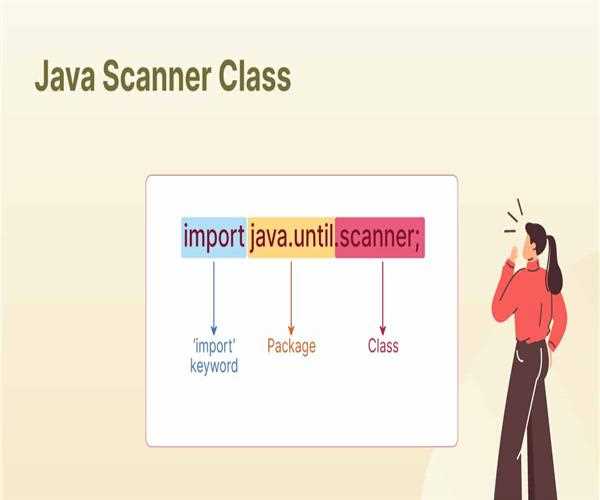
Importing the Scanner Class
To use the Scanner class, you need to import it:
import java.util.Scanner;
Creating a Scanner Object
You can create a Scanner object to read input from different sources:
Standard Input (Console):
Scanner scanner = new Scanner(System.in);
File Input:
import java.io.File;
import java.io.FileNotFoundException;

File file = new File("filename.txt");
Scanner scanner = new Scanner(file);
String Input:
String input = "Hello World";
Scanner scanner = new Scanner(input);
Basic Methods
The Scanner class provides numerous methods to read different types of input:
Reading a String:
String line = scanner.nextLine(); // Reads a line of text
Reading a Word:
String word = scanner.next(); // Reads the next token (word)
Reading Different Data Types:
int i = scanner.nextInt();     // Reads an integer
double d = scanner.nextDouble(); // Reads a double
boolean b = scanner.nextBoolean(); // Reads a boolean
Checking for Input
Before reading input, it's often useful to check if there is input available:
Checking for a Next Token:
if (scanner.hasNext()) {
    String token = scanner.next();
}
Checking for a Specific Data Type:
if (scanner.hasNextInt()) {
   int i = scanner.nextInt();
}
Delimiters
The Scanner class uses delimiters to separate tokens. By default, it uses whitespace. You can change the delimiter pattern if needed:
scanner.useDelimiter(","); // Sets the delimiter to a comma
Closing the Scanner
It's important to close the Scanner object when done to free up resources:
scanner.close();Here's a complete example that demonstrates reading different types of input from the console:
import java.util.Scanner;

public class ScannerExample {
    public static void main(String[] args) {
        Scanner scanner = new Scanner(System.in);

        // Reading a line of text
        System.out.println("Enter a line of text:");
        String line = scanner.nextLine();
        System.out.println("You entered: " + line);

        // Reading a word
        System.out.println("Enter a word:");
        String word = scanner.next();
        System.out.println("You entered: " + word);

        // Reading an integer
        System.out.println("Enter an integer:");
        if (scanner.hasNextInt()) {
            int i = scanner.nextInt();
            System.out.println("You entered: " + i);
        } else {
            System.out.println("That's not an integer.");
            scanner.next(); // Clear the invalid input
        }

        // Reading a double
        System.out.println("Enter a double:");
        if (scanner.hasNextDouble()) {
            double d = scanner.nextDouble();
            System.out.println("You entered: " + d);
        } else {
            System.out.println("That's not a double.");
            scanner.next(); // Clear the invalid input
        }

        scanner.close();
    }
}
Summary
- Convenient Parsing: The Scanner class makes it easy to parse primitive types and strings.
- Multiple Sources: It can read from standard input, files, and strings.
- Flexibility: Provides methods to check and read various data types.
- Delimiters: Uses whitespace as the default delimiter but allows custom delimiters.
- Resource Management: Remember to close the Scanner object to release resources.
The Scanner class is a versatile and powerful tool for handling input in Java applications, simplifying the process of reading and parsing user input or data from other sources.


Leave a Comment