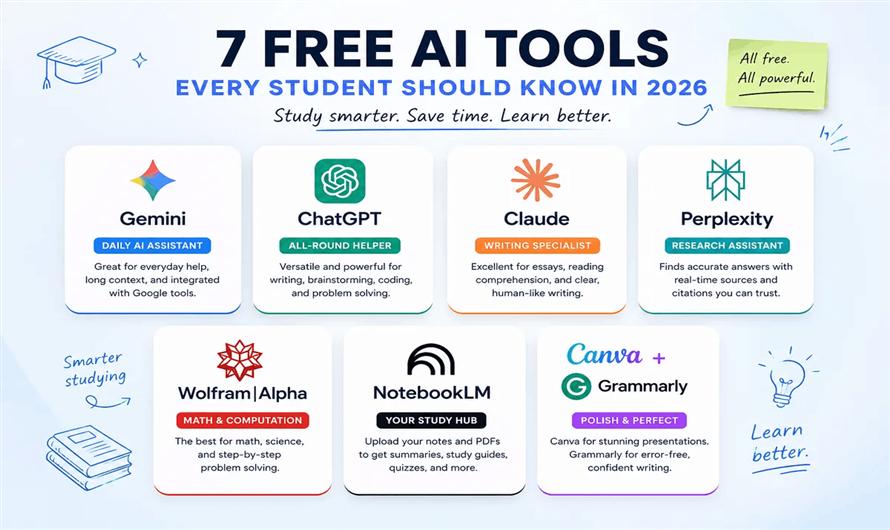
Artificial Intelligence has transformed the way students learn, research, write, and organize their academic work. In 2026, AI tools have become more powerful, accessible, and student-friendly than ever before. Whether you're preparing for exams, writing assignments, creating presentations, or learning programming, there are several free AI tools that can help you save time and improve productivity.
This guide explores the best free AI tools for students in 2026, their features, advantages, and how to use them responsibly for academic success.
Why Students Should Use AI Tools
AI tools are designed to assist—not replace—learning. They can help students:
- Understand difficult concepts
- Summarize lengthy notes
- Generate study materials
- Improve grammar and writing
- Create presentations quickly
- Solve coding problems
- Organize assignments and schedules
When used ethically, AI can become a personal study assistant available 24/7.
1. ChatGPT
Best For: Homework assistance, brainstorming, writing, coding, and concept explanations.
ChatGPT continues to be one of the most versatile AI assistants for students. The free version allows users to ask questions, summarize topics, practice interview questions, write essays, and debug code.
Key Features
- Explains complex concepts in simple language
- Assists with programming assignments
- Creates study plans
- Summarizes notes
- Generates practice questions
Free Plan: Yes (with usage limits)
2. Google NotebookLM
Best For: Studying from PDFs and lecture notes.
NotebookLM enables students to upload textbooks, lecture notes, research papers, and documents. The AI answers questions based only on the uploaded sources, reducing the risk of unrelated responses.
Key Features
- PDF-based question answering
- AI-generated summaries
- Study guides
- Audio overviews
- Citation-backed responses
Free Plan: Available
3. Google Gemini
Best For: Research, brainstorming, and Google Workspace users.
Gemini integrates well with Google Docs, Gmail, and Drive, making it an excellent productivity tool for students already using Google's ecosystem.
Key Features
- Research assistance
- Writing support
- Coding help
- Image understanding
- Google Workspace integration
Free Plan: Yes
4. Perplexity AI
Best For: Academic research.
Unlike traditional chatbots, Perplexity AI provides answers with references, making it easier for students to verify information.
Key Features
- Source citations
- Web-based research
- Fast summaries
- Follow-up questions
- Current information
Free Plan: Yes
5. Grammarly
Best For: Grammar correction and academic writing.
Grammarly helps students improve essays, reports, emails, and assignments by correcting grammar, punctuation, clarity, and tone.
Key Features
- Grammar checking
- Spell correction
- Writing suggestions
- Tone analysis
- Vocabulary enhancement
Free Plan: Available
6. Canva AI
Best For: Presentations and creative projects.
Students frequently need presentations for school and college. Canva AI helps create professional slides within minutes.
Key Features
- AI presentation generator
- Poster creation
- Resume templates
- Infographics
- Social media designs
Free Plan: Yes
7. QuillBot
Best For: Paraphrasing and summarization.
QuillBot is useful for rewriting content in your own words while maintaining meaning.
Key Features
- Paraphrasing
- Grammar checking
- Text summarization
- Citation generator
- Vocabulary enhancement
Free Plan: Available with limits
8. Claude
Best For: Reading long documents and detailed explanations.
Claude excels at processing lengthy PDFs, research papers, and technical documents.
Key Features
- Long document analysis
- Research summaries
- Coding assistance
- Writing support
- Natural conversations
Free Plan: Yes
9. Notion AI
Best For: Productivity and note management.
Students can organize lectures, assignments, projects, and deadlines in one workspace.
Key Features
- Smart notes
- Task management
- AI summaries
- Writing assistance
- Project planning
Free Plan: Basic features available
10. Gamma
Best For: AI-powered presentations.
Gamma automatically converts text into visually appealing presentations without requiring design skills.
Key Features
- AI slide generation
- Professional layouts
- Collaboration
- Templates
- Export options
Free Plan: Yes
Comparison Table
| AI Tool | Best Use | Free Version |
|---|---|---|
| ChatGPT | Learning & Writing | Yes |
| NotebookLM | Notes & PDFs | Yes |
| Gemini | Research | Yes |
| Perplexity AI | Academic Research | Yes |
| Grammarly | Writing Improvement | Yes |
| Canva AI | Presentations | Yes |
| QuillBot | Paraphrasing | Yes |
| Claude | Long Documents | Yes |
| Notion AI | Productivity | Yes |
| Gamma | Presentation Design | Yes |
Tips for Using AI Responsibly
While AI tools improve productivity, students should follow responsible practices:
- Verify facts using reliable sources.
- Avoid submitting AI-generated work without reviewing it.
- Use AI to understand concepts rather than copy answers.
- Follow your school's academic integrity policies.
- Add your own critical thinking and analysis to assignments.
Benefits of AI for Students
Using AI tools effectively can help students:
- Save hours on repetitive tasks.
- Improve writing quality.
- Learn difficult subjects faster.
- Stay organized throughout the semester.
- Create professional presentations effortlessly.
- Build better research habits.
- Enhance coding and technical skills.
Final Thoughts
The best free AI tools for students in 2026 are designed to make learning smarter, faster, and more interactive. ChatGPT remains an excellent all-purpose assistant, NotebookLM is ideal for studying from personal notes, Perplexity AI is perfect for research with citations, Grammarly improves writing quality, and Canva AI simplifies presentation creation.
Rather than replacing learning, these tools work best as intelligent study companions. Students who combine AI assistance with critical thinking, creativity, and consistent practice will gain the greatest academic advantage in 2026 and beyond. Industry trends also indicate that AI is becoming increasingly integrated into education, with stronger support for research, study organization, and personalized learning experiences.


Leave a Comment
1 Comments