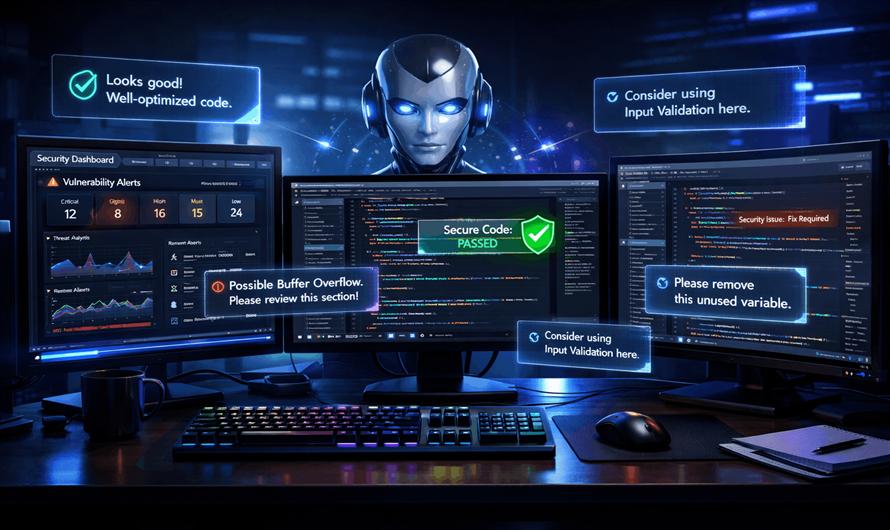
As software projects grow in complexity, maintaining code quality and security becomes increasingly challenging. Traditional code reviews often require significant developer time, while security audits may not always catch every vulnerability during development.
Artificial Intelligence is transforming this process by assisting developers with automated analysis, code suggestions, vulnerability detection, and compliance checks. Among the leading AI assistants available today, Anthropic's Claude has emerged as a powerful tool for code reviews and security assessments.
What Is Claude?
Claude is a large language model developed by Anthropic. It is designed to assist with complex reasoning, content generation, programming tasks, documentation, code analysis, and security reviews.
Developers commonly use Claude for:
- Reviewing source code
- Explaining complex logic
- Refactoring legacy applications
- Identifying bugs
- Detecting security vulnerabilities
- Generating test cases
- Improving documentation
- Assisting with architecture decisions
Its large context window allows it to analyze substantial codebases, making it particularly useful for enterprise development environments.
Why Use AI for Code Reviews?
Manual code reviews remain essential, but AI can significantly enhance the process.

Benefits Include
- Faster Reviews: Claude can analyze hundreds or thousands of lines of code within seconds and highlight potential issues before human reviewers begin their assessment.
- Consistent Standards: AI applies the same review criteria across all pull requests, reducing inconsistencies between reviewers.
- Early Bug Detection: Many common coding mistakes can be identified before code reaches production.
- Knowledge Sharing: Junior developers can learn best practices through AI-generated explanations and recommendations.
- Security Awareness : Claude can identify security concerns that developers may overlook during implementation.
Using Claude for Code Reviews
1. Detecting Code Smells
Code smells are patterns that indicate maintainability problems.
Example:
public decimal CalculatePrice(decimal amount)
{
    decimal result = amount;
    if(amount > 100) {
        result = amount * 0.9m;
    }
    return result;
}
Claude may suggest:
- Extracting discount logic into a separate service
- Using descriptive business methods
- Improving naming conventions
- Enhancing testability
2. Identifying Duplicate Logic
Large applications often contain repeated business rules.
Claude can:
- Detect duplicated code blocks
- Suggest reusable methods
- Recommend design patterns
- Improve maintainability
3. Reviewing Naming Conventions
Poor naming makes applications difficult to maintain.
Example:
var d = GetData();Suggested improvement:
var customerOrders = GetCustomerOrders();Claude frequently recommends clearer variable, method, and class names.
4. Evaluating Architecture Decisions
Developers can submit entire service layers or architectural designs and ask Claude:
- Is this design scalable?
- Does it violate SOLID principles?
- Can dependency injection be improved?
- Are there hidden coupling issues?
This makes Claude valuable during design reviews.
Using Claude for Security Checks
Security reviews are one of the most impactful applications of AI-assisted development.
1. SQL Injection Detection
Consider the following example:
string query =
    "SELECT * FROM Users WHERE Name='" +
    username + "'";
Claude will identify this as a potential SQL injection vulnerability and recommend parameterized queries.
Improved version:
var command =
    new SqlCommand(
        "SELECT * FROM Users WHERE Name=@name");
2. Cross-Site Scripting (XSS)
Claude can detect situations where user input is rendered without proper encoding.
Example:
<div>@Model.Comment</div>
It can recommend output encoding, validation, and sanitization techniques to reduce XSS risks.
3. Authentication Weaknesses
Claude can review authentication workflows and identify:
- Weak password policies
- Missing account lockouts
- Insecure session handling
- Improper token validation
- Missing multi-factor authentication support
4. Sensitive Data Exposure
Common issues include:
- Hardcoded API keys
- Database credentials
- Encryption secrets
- Access tokens
Example:
string apiKey = "1234567890abcdef";Claude typically recommends storing secrets in secure configuration stores or secret-management systems.
5. Insecure Cryptography
Claude can identify outdated algorithms such as:
- MD5
- SHA1
- DES
It may recommend stronger alternatives such as:
- SHA-256
- SHA-512
- AES-256
depending on the use case.
6. Authorization Problems
Many applications properly authenticate users but fail to enforce authorization.
Claude can help identify:
- Missing role checks
- Broken access controls
- Privilege escalation opportunities
- Resource ownership validation issues
Example Prompt for Code Review
A useful prompt might be:
Review the following C# code.

Identify:
1. Bugs
2. Performance issues
3. Security vulnerabilities
4. SOLID violations
5. Refactoring opportunities

Explain each issue and provide improved code.
The quality of Claude's review often improves when the prompt specifies review criteria.
Example Prompt for Security Auditing
Act as a senior application security engineer.

Analyze this ASP.NET MVC application code.

Identify:
- SQL Injection risks
- XSS vulnerabilities
- CSRF weaknesses
- Authentication issues
- Authorization flaws
- Sensitive data exposure

Provide remediation recommendations.
This structured approach produces more comprehensive security assessments.
Best Practices When Using Claude
Provide Context
Explain:
- Project type
- Framework
- Architecture
- Security requirements
Better context leads to more accurate recommendations.
Review AI Suggestions
AI recommendations should always be validated by experienced developers before implementation.
Combine with Automated Tools
Claude works best alongside:
- Static code analyzers
- Security scanners
- Unit testing frameworks
- Dependency vulnerability scanners
Use Incremental Reviews
Instead of reviewing an entire codebase at once, review:
- Pull requests
- Individual services
- Modules
- Security-sensitive components
- This often produces more focused results.
Limitations of Claude
Despite its strengths, Claude is not a replacement for human expertise.
Potential limitations include:
- Limited runtime awareness
- No direct production environment access
- Possible false positives
- Possible false negatives
- Lack of business-specific knowledge
Human review remains critical for final approval and risk assessment.
Claude vs Traditional Code Reviews
| Feature | Traditional Review | Claude Review |
|---|---|---|
| Speed | Moderate | Very Fast |
| Consistency | Reviewer Dependent | Consistent |
| Security Awareness | Varies | Strong |
| Availability | Limited | 24/7 |
| Cost Per Review | Higher | Lower |
| Human Judgment | Excellent | Limited |
The most effective strategy is combining both approaches.
Conclusion
Claude has become a valuable assistant for modern software development teams. By automating portions of code reviews and security assessments, it helps developers identify bugs, improve code quality, and reduce security risks earlier in the development lifecycle.
While it should not replace experienced engineers or dedicated security professionals, Claude can significantly enhance productivity and strengthen secure coding practices. Organizations that combine AI-assisted reviews with human expertise are often better positioned to deliver reliable, maintainable, and secure software at scale.


Leave a Comment