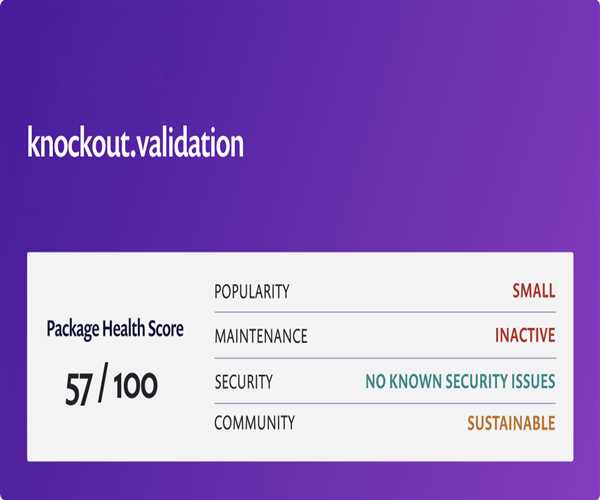
In Knockout, you can create custom validation rules and messages by using the knockout-validation plugin.
Here's an example of how you can create a custom validation rule and message:
First, include the knockout-validation plugin in your project by adding the following script tag in your HTML file:
<script src="https://cdnjs.cloudflare.com/ajax/libs/knockout-validation/2.0.4/knockout.validation.min.js"
        integrity="sha512-b99MDNv5TqiZtPKH2UeHzDAVydmgrOJEPtaPPEF8AgV86eYyqINFI/K7/7f0+R4WNTAVv8KvvpjwfOYHv5rd5g==" crossorigin="anonymous" referrerpolicy="no-referrer"></script>
Next, create a custom validation rule and message. For example, let's say we want to create a custom validation rule that checks if the input value is a valid email address:
ko.validation.rules['email'] = {
    validator: function (value, params) {
        return /^\w+([\.-]?\w+)*@\w+([\.-]?\w+)*(\.\w{2,3})+$/.test(value);
    },
    message: 'Please enter a valid email address'
};

// Apply the custom validation rule to the observable
ko.validation.registerExtenders();
Finally, use the custom validation rule in your HTML markup like this:
<input type="text" data-bind="value: email, valueUpdate: 'afterkeydown', validationOptions: { insertMessages: false }, validationElement: 'email'" />
<p class="validationMessage" data-bind="validationMessage: email"></p>
Now, when a user enters an invalid email address, the custom validation message 'Please enter a valid email address' will be displayed below the input field.
By following these steps, you can create custom validation rules and messages in Knockout using the knockout-validation plugin. This allows you to customize the validation logic and error messages to fit your specific requirements.
Example -
<!doctype html>
<html lang="en">

<head>
    <!-- Meta tags for character set and viewport configuration -->
    <meta charset="utf-8">
    <meta name="viewport" content="width=device-width, initial-scale=1">

    <!-- Title of the webpage -->
    <title>Bootstrap demo</title>

    <!-- Link to Bootstrap CSS for styling -->
    <link href="https://cdn.jsdelivr.net/npm/bootstrap@5.3.3/dist/css/bootstrap.min.css" rel="stylesheet"
        integrity="sha384-QWTKZyjpPEjISv5WaRU9OFeRpok6YctnYmDr5pNlyT2bRjXh0JMhjY6hW+ALEwIH" crossorigin="anonymous">

    <!-- Link to Knockout.js library for MVVM pattern support -->
    <script src="https://cdnjs.cloudflare.com/ajax/libs/knockout/3.5.1/knockout-latest.min.js"
        integrity="sha512-vs7+jbztHoMto5Yd/yinM4/y2DOkPLt0fATcN+j+G4ANY2z4faIzZIOMkpBmWdcxt+596FemCh9M18NUJTZwvw=="
        crossorigin="anonymous" referrerpolicy="no-referrer"></script>

    <!-- Link to Knockout Validation library -->
    <script src="https://cdnjs.cloudflare.com/ajax/libs/knockout-validation/2.0.4/knockout.validation.min.js"
        integrity="sha512-b99MDNv5TqiZtPKH2UeHzDAVydmgrOJEPtaPPEF8AgV86eYyqINFI/K7/7f0+R4WNTAVv8KvvpjwfOYHv5rd5g=="
        crossorigin="anonymous" referrerpolicy="no-referrer"></script>

</head>

<body class="container">
    <!-- Main container for Bootstrap styling -->
    <div class="my-4">
        <h5><strong>Validation Form</strong></h5>
        <hr />
        <!-- Form with Knockout bindings for validation -->
        <form class="row g-3" data-bind="submit: submitForm">
            <!-- UserName input field -->
            <div class="col-12 col-lg-6">
                <label class="form-label fw-bold" for="UserName">UserName</label>
                <input class="form-control" type="text" id="UserName"
                    data-bind="value: UserName, valueUpdate: 'input'" placeholder="@_ravi_" />
            </div>
            <!-- Name input field -->
            <div class="col-12 col-lg-6">
                <label class="form-label fw-bold" for="name">Name</label>
                <input class="form-control" type="text" id="name" data-bind="value: name, valueUpdate: 'input'" />
            </div>
            <!-- Email input field -->
            <div class="col-12 col-lg-6">
                <label class="form-label fw-bold" for="email">Email</label>
                <input class="form-control" type="email" id="email" data-bind="value: email, valueUpdate: 'input'" />
            </div>
            <!-- Country select field -->
            <div class="col-12 col-lg-6">
                <label class="form-label fw-bold" for="Country">Country</label>
                <select class="form-select"
                    data-bind="options: CountryList, value: Country, optionsCaption:'Choose your country ...'"></select>
            </div>
            <!-- PhoneNumber input field -->
            <div class="col-12">
                <label class="form-label fw-bold" for="PhoneNumber">PhoneNumber</label>
                <input class="form-control" type="number" id="PhoneNumber"
                    data-bind="value: PhoneNumber, valueUpdate: 'input'" />
            </div>
            <!-- Address input field -->
            <div class="col-12">
                <label class="form-label fw-bold" for="Address">Address</label>
                <textarea class="form-control" id="Address" data-bind="value: Address, valueUpdate: 'input'"></textarea>
            </div>
            <!-- Submit button -->
            <div class="col-12">
                <button class="btn btn-primary" type="submit">Submit</button>
            </div>
        </form>
    </div>

    <script type="text/javascript">
        // Custom validation rule for mustContainSymbol
        ko.validation.rules['mustContainSymbol'] = {
            validator: function (val, params) {
                return val && val.indexOf(params) !== -1;
            },
            message: 'The field must contain the symbol {0}'
        };

        // Register custom validation rule
        ko.validation.registerExtenders();

        // Initialize Knockout validation
        ko.validation.init({
            registerExtenders: true, // Register custom validation rules
            messagesOnModified: true, // Show validation messages as soon as a field is modified
            insertMessages: true, // Insert validation messages next to the input elements
            parseInputAttributes: true, // Parse HTML5 input attributes for validation rules
            errorClass: 'text-danger fw-semibold', // CSS class for validation error messages
            messageTemplate: null // Use default message template
        }, true);

        // Define the ViewModel
        function AppViewModel() {
            var self = this;

            // Define observables for form fields with validation rules
            self.UserName = ko.observable("").extend({
                required: true,
                minLength: 6,
                required: { message: "UserName is required." },
                mustContainSymbol: {
                    params: '@',
                    message: "UserName must contain '@'."
                },
            });

            self.name = ko.observable("").extend({
                required: { message: "Name is required." },
                minLength: { params: 2, message: "Name must be at least 2 characters." },
                maxLength: { params: 25, message: "Name must be at most 25 characters." },
            });

            self.email = ko.observable("").extend({
                required: { message: "Email is required." },
                email: { message: "Invalid email address." }
            });

            self.PhoneNumber = ko.observable().extend({
                required: { message: "Phone Number is required." },
                pattern: { params: '^[0-9]{8,}$', message: 'Phone Number does not match the pattern' }
            });

            self.CountryList = ko.observableArray(['Morocco', 'India', 'USA']);

            self.Country = ko.observable().extend({
                required: { message: "Country is required." }
            });

            self.Address = ko.observable().extend({
                required: { message: "Address is required." }
            });

            // Define the submit function
            self.submitForm = function () {
                // Check if the form is valid
                if (self.errors().length === 0) {
                    // Gather form data
                    var formData = {
                        name: self.name(),
                        email: self.email(),
                        phone_number: self.PhoneNumber(),
                        country: self.Country(),
                        address: self.Address()
                    };

                    // Display form data
                    window.alert(JSON.stringify(formData));

                    // Log the form data (or send it to the server)
                    console.log("Form submitted with:", formData);
                } else {
                    // Show validation errors
                    self.errors.showAllMessages();
                }

                // Prevent actual form submission
                return false;
            };

            // Initialize validation
            self.errors = ko.validation.group(self);
        }

        // Apply bindings
        ko.applyBindings(new AppViewModel());
    </script>
</body>

</html>
Output -

Thank you.


Leave a Comment